
Building compass design system from 0 to 1
Compass is the design system that gave three teams one shared foundation built from scratch to bring consistency, speed, and structure to how Lingo ships product.
Project background
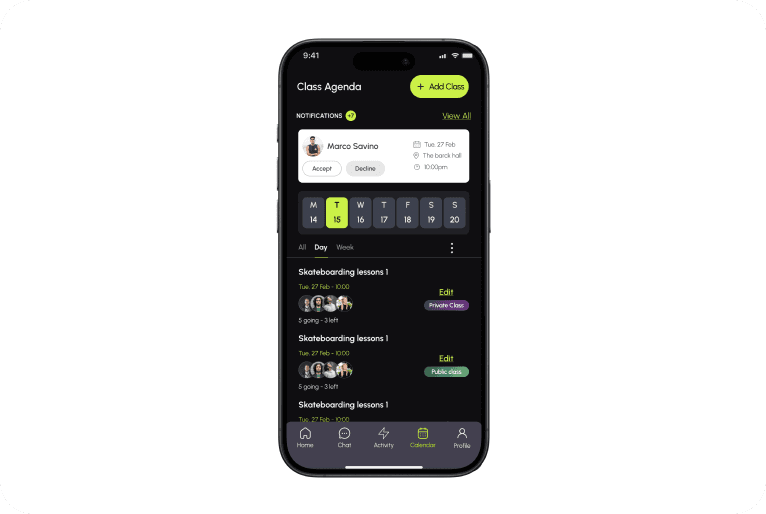
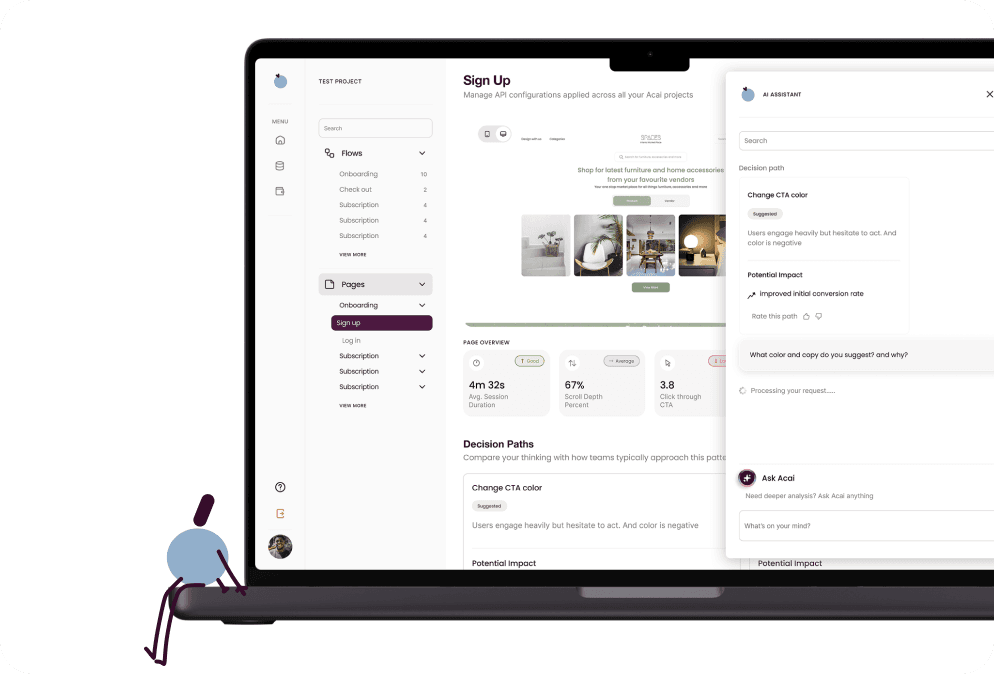
Compass is a design system built from the ground up for a growing healthcare platform. Three separate teams app, web, and marketing were all contributing to the same product with no shared foundation between them.
As a Senior UX/UI Designer, I led the effort to change that. My role covered everything from the initial audit to establishing design tokens, building the component library, and making sure it actually got adopted across design and engineering.
The challenge
When I joined the team, the first thing I noticed was that we had a design system that nobody was actually using. I kept asking why and honestly, it felt like the question was falling on deaf ears. Nobody had built one before, nobody had maintained one before, and so everyone had just quietly stopped trying.
The day-to-day reality was frustrating. Every time I sat down to design something, I was color picking off old files, hunting through outdated frames trying to figure out what font went where, and still ending up with inconsistencies. And then it would get to engineering and they'd come back with "we don't have this color in the code" or "this font size doesn't exist on our end." Every handoff was a negotiation.
Teams were consistently working with:
Color fragmentation throughout the product the same colors repeated across designs with slightly different hex values each time
Spacing applied inconsistently, with no shared scale anchoring layout decisions
Design tokens from the legacy system that existed in Figma and had been adopted in code along side other random raw values making the whole system decorative rather than functional
No shared naming conventions between design and engineering, creating friction at every handoff
That's when I knew we didn't just need a cleanup ,we needed to build something from scratch that would actually stick.
Role
Senior UX/UI designer
Timeline
9 months
Team
5 designers
2 Developers
2 Project manager
Tools
Figma, Storybook, code connect
IMPACT
Designing without a system is like building without a blueprint. Compass fixed that.
80%
Design velocity increased
We spent less time guessing and more time building, with tokens, components, and guidelines all in one place, decisions that used to take hours took minutes.
Freed up time to focus on solving real product problems, not hunting for the right hex code.
100%
Adopted across the entire org
App, web, and marketing teams all building from the same foundation for the first time, everyone was speaking the same design language.
Reduced handoff friction between design and engineering significantly.
"Why do we have a million grays and reds?"
-Lingo designers
THE APPROACH
Where do you even begin?
We began by conducting a thorough audit of all existing design files, evaluating what could be carried over from the previous system and what needed to be rebuilt from scratch. Rather than starting with a blank slate, the goal was to identify anything salvageable — saving time while ensuring the new system was built on a deliberate, intentional foundation.
1
Figma analytics told us where to start.
Before making any decisions, we pulled Figma analytics to understand how the old system was actually being used in practice. We tracked which components were still active across files, where they were being used, and how frequently giving us a clear picture of what had real adoption versus what had been quietly abandoned. That data drove our decisions on what to carry forward and what to cut entirely.
Key findings:
When filtered to the past year, component usage was under 5% , confirming the system had been largely abandoned in active workflows
Nearly 80% of components had been detached, meaning designers were pulling from the library but immediately overriding it rather than using it as intended
What appeared to be an active design system was, in practice, just a reference file nobody was following

2
A system is only as strong as its foundation.
With the audit complete, we turned our attention to the core building blocks of Compass. Before any components could be built or rebuilt, we needed to establish a solid, intentional foundation one that every team could trust and build on top of. That meant going back to basics and making deliberate decisions across four key areas: color, typography, spacing, and iconography. Each would be examined, defined, and documented before anything else moved forward.

2.1
Auditing colors
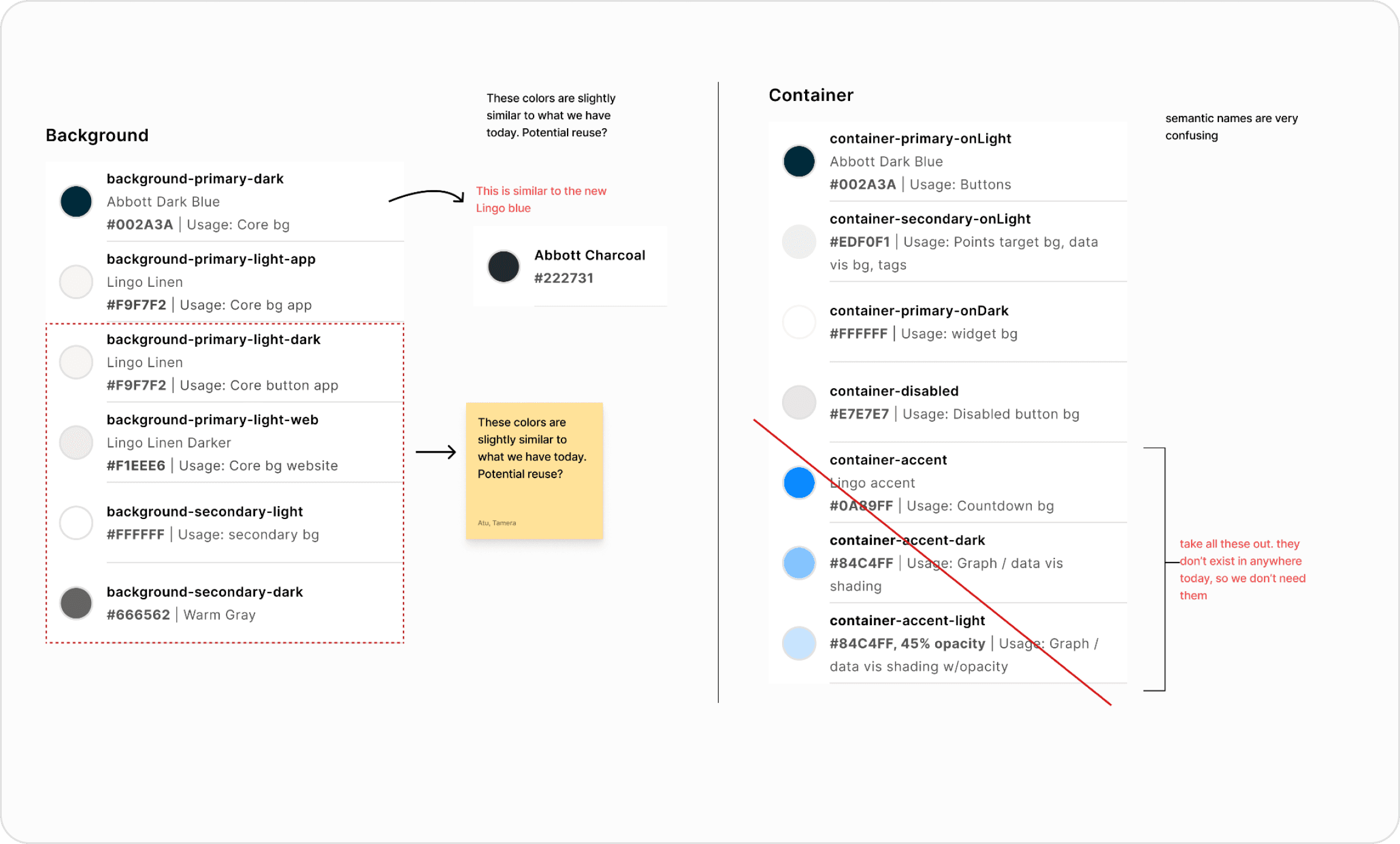
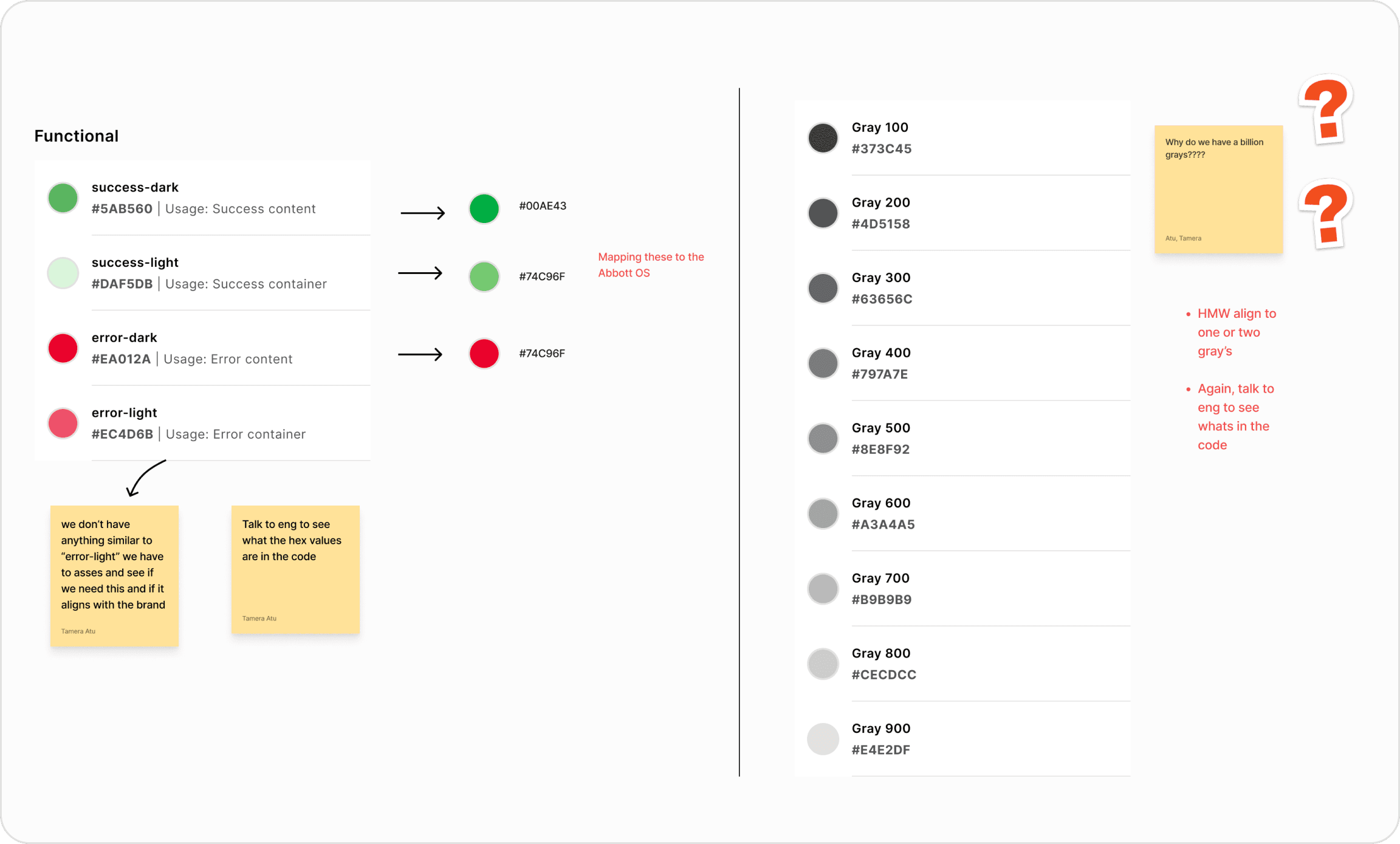
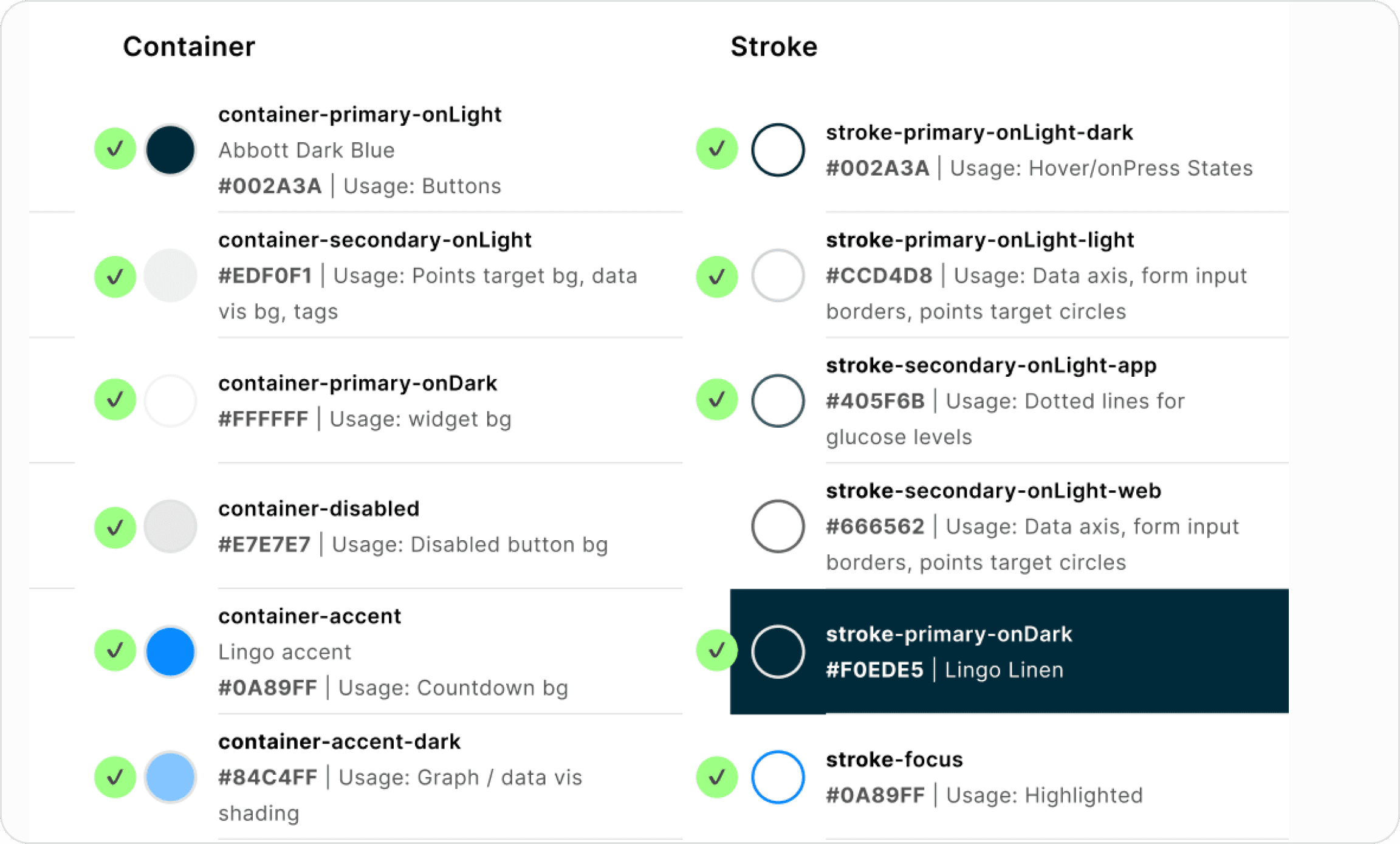
We started by reviewing the old system's color structure and found that the semantic naming conventions didn't clearly communicate intent. From there, we audited colors across the live product to align with our recent rebrand, then looped in engineering to compare what existed in Figma against what was actually in code , surfacing redundancies and mismatches. The goal was a single, clean palette with naming that meant the same thing to everyone.
Key things to do:
Establish a naming convention that was intuitive and consistent across design and engineering
Build a clean, structured color palette that could serve as the true foundation of the system
Ensure all color combinations met accessibility standards (WCAG contrast requirements)
Audit and remove redundant colors that had accumulated in both Figma and code
Document usage guidelines so teams knew not just what the colors were, but when to use them
2.2
Auditing Typography
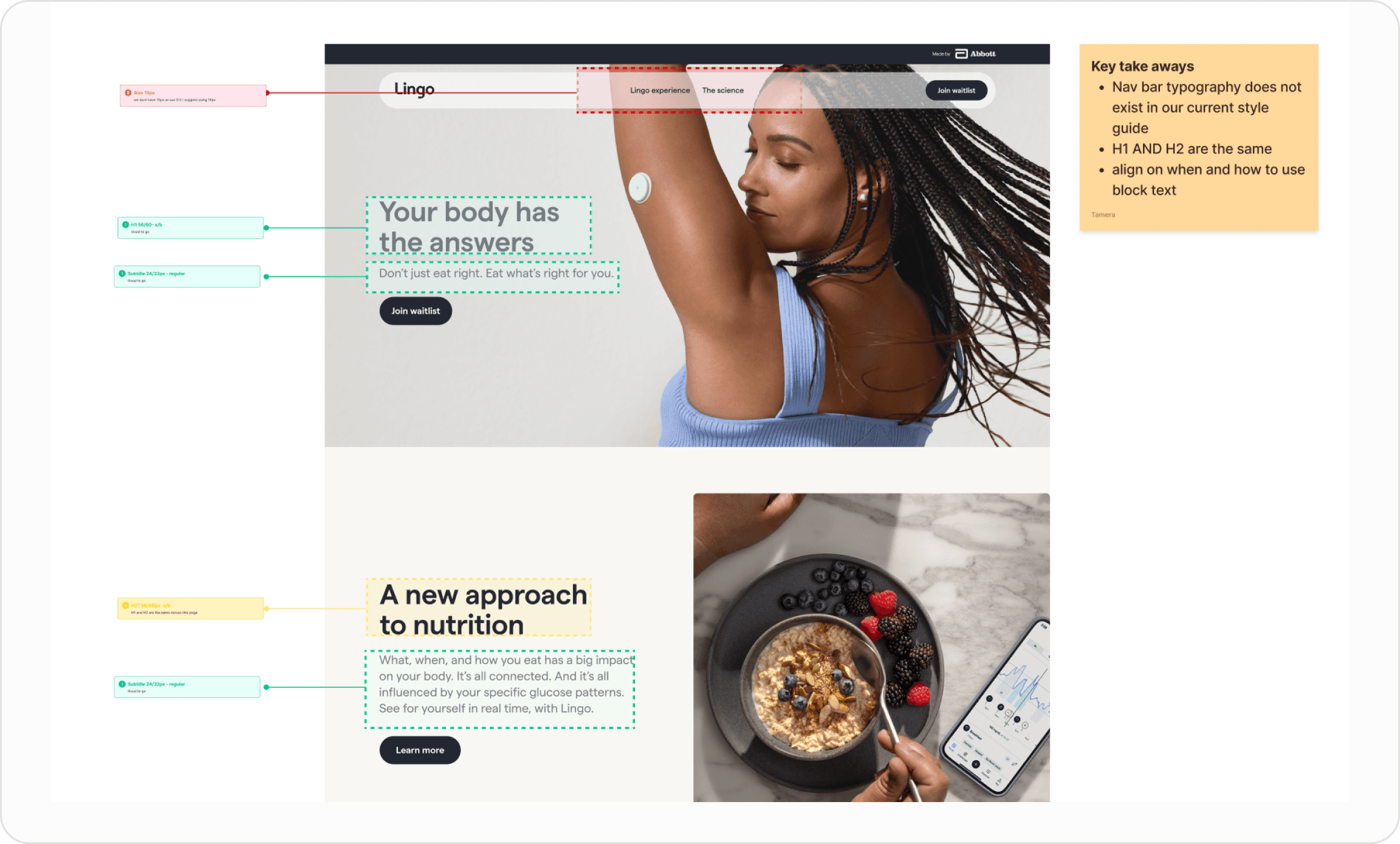
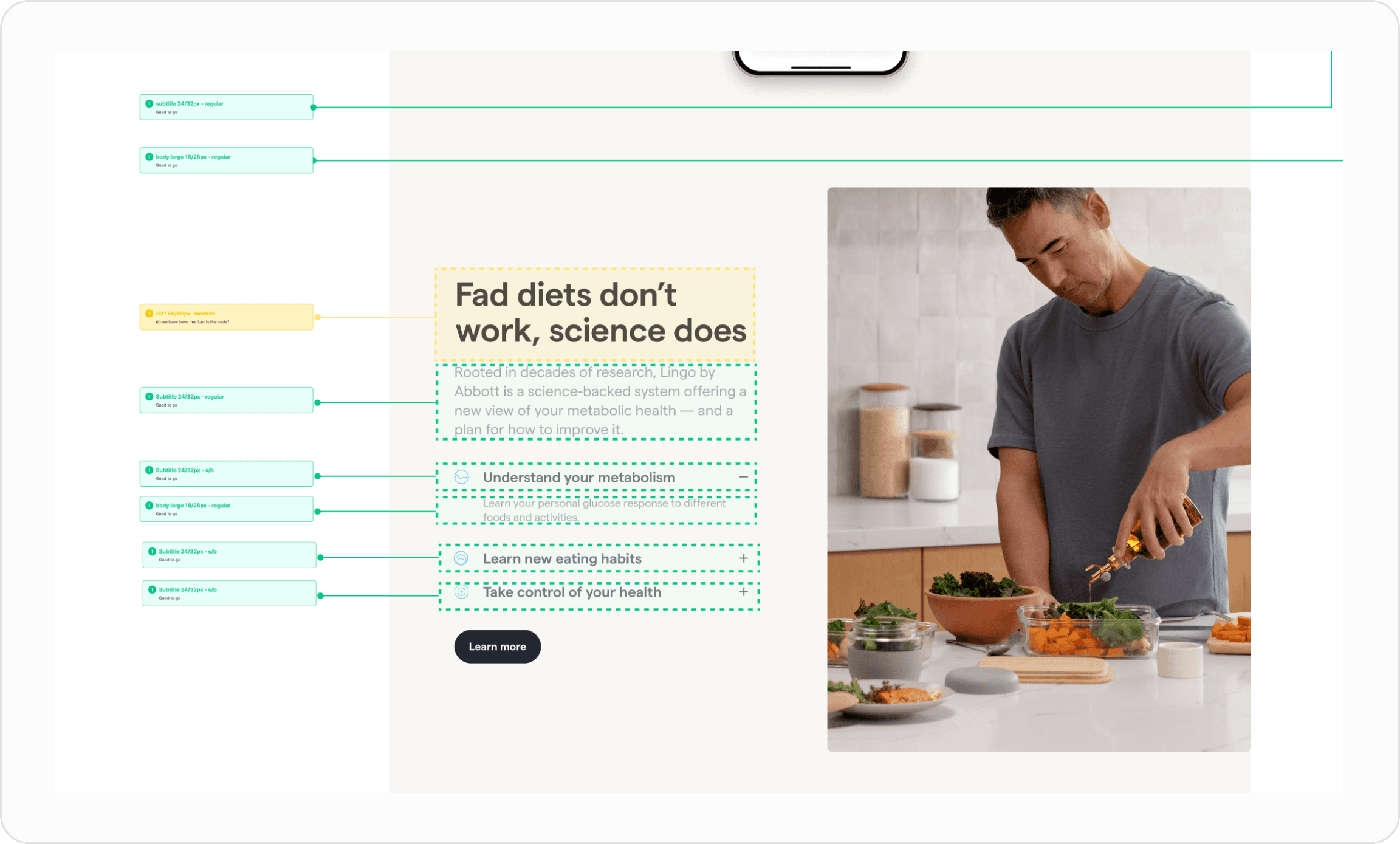
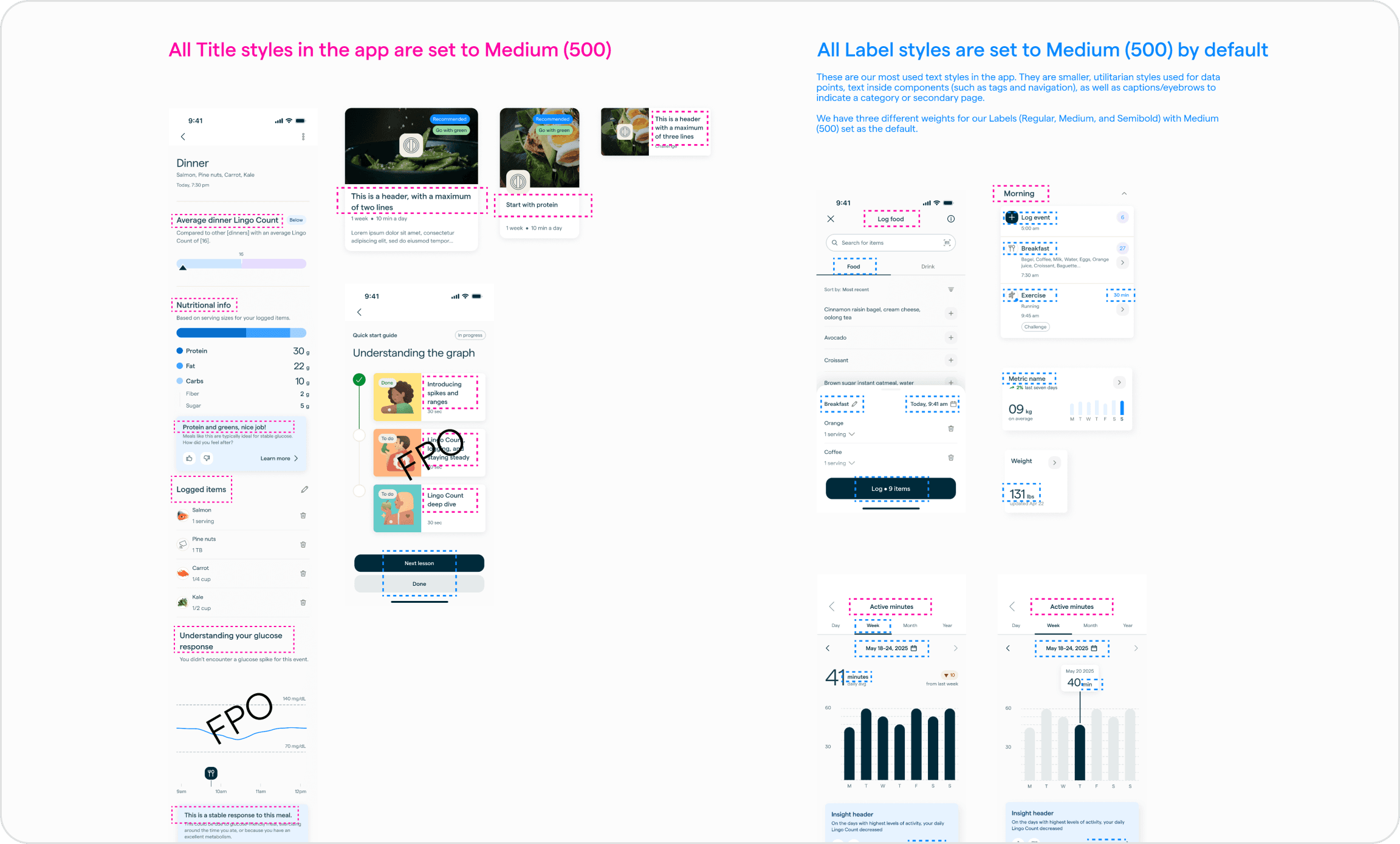
Similar to color, typography had drifted. Without clear guidelines, designers were making independent decisions about font sizes, weights, and hierarchy, leading to inconsistency across the product. We audited what was in use, rationalized it into a coherent type scale. The goal was to make the right typographic choice the obvious one, so teams never had to guess.
Key things to do:
Establish a naming convention that clearly communicated the purpose of each type style
Create a coherent type scale that worked across the entire product
Create documentation and usage guidelines so typography was applied consistently and in the right context
2.3
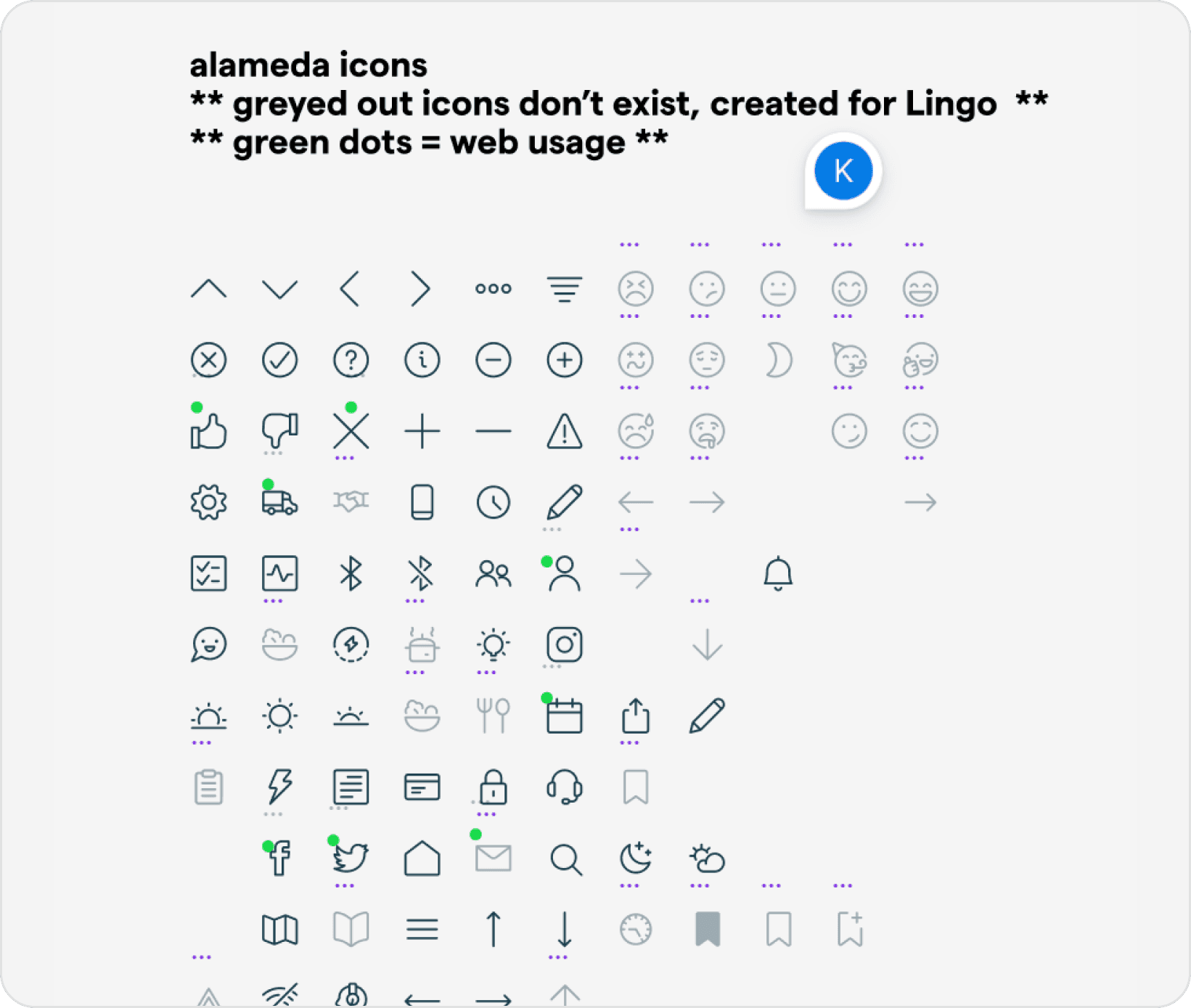
Iconography
Rather than starting from scratch, we audited the icons already in use across the product and migrated the ones that were still relevant into the foundation.
The foundation was cracked. We weren't going to build on top of that.
COMPETITORS ANALYSIS
Understanding our competitors
Before defining our own system, we looked outward studying how other products and teams were approaching design systems. The goal wasn't to copy, but to understand what good looked like and identify patterns worth learning from.
1
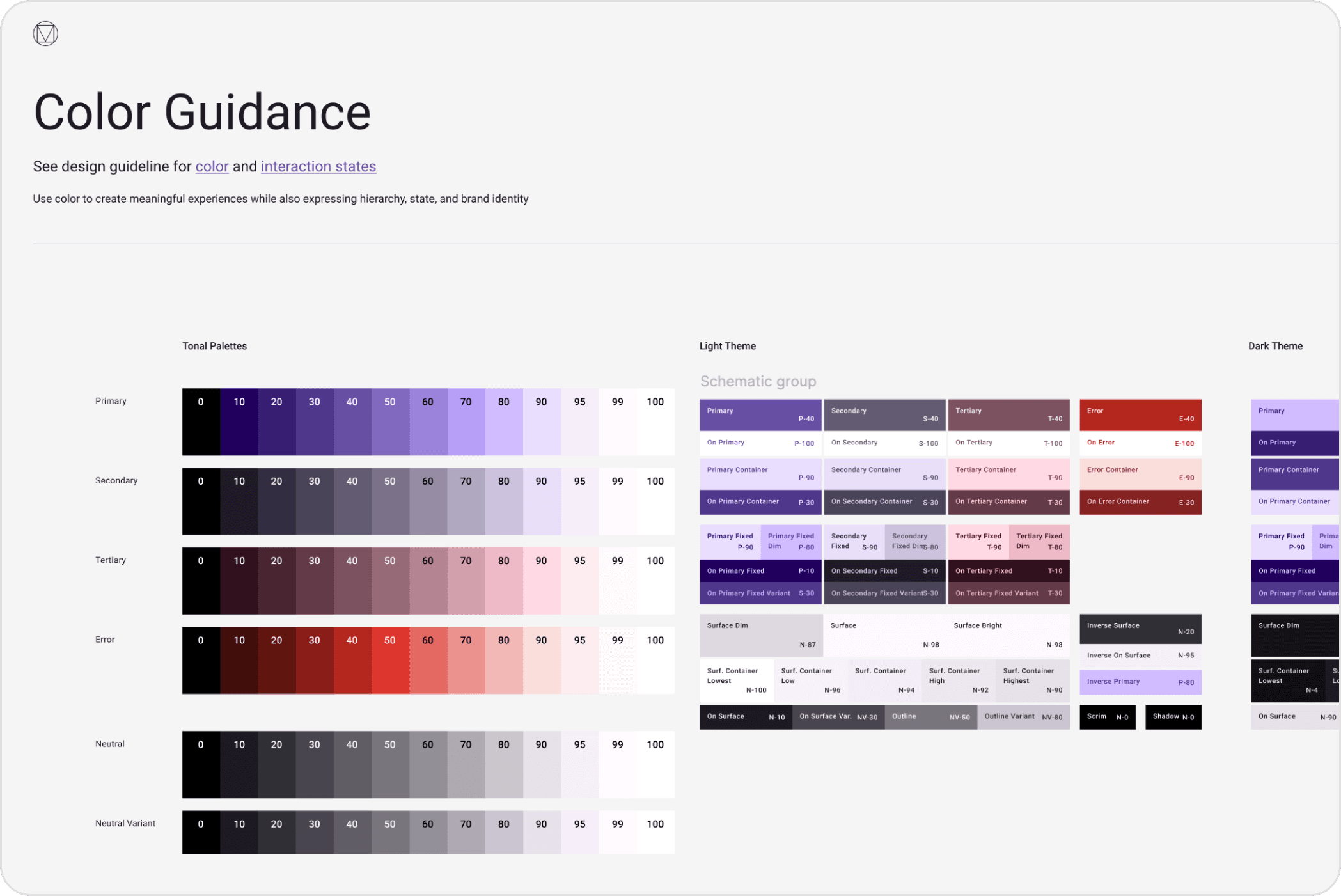
Material design
Material Design is Google's open-source design system, one of the most widely adopted in the industry. What drew us to it wasn't just how polished it was, but how intentional the thinking behind it was. Accessibility isn't an afterthought, it's built in from the ground up.
Key take aways:
Color system already built and tested for accessibility, we used this as the structural foundation for Compass's color tokens
Token naming methodology that communicates intent without being too prescriptive
A scalable framework flexible enough to adapt to our product without fighting it.
2
Atlissan design system
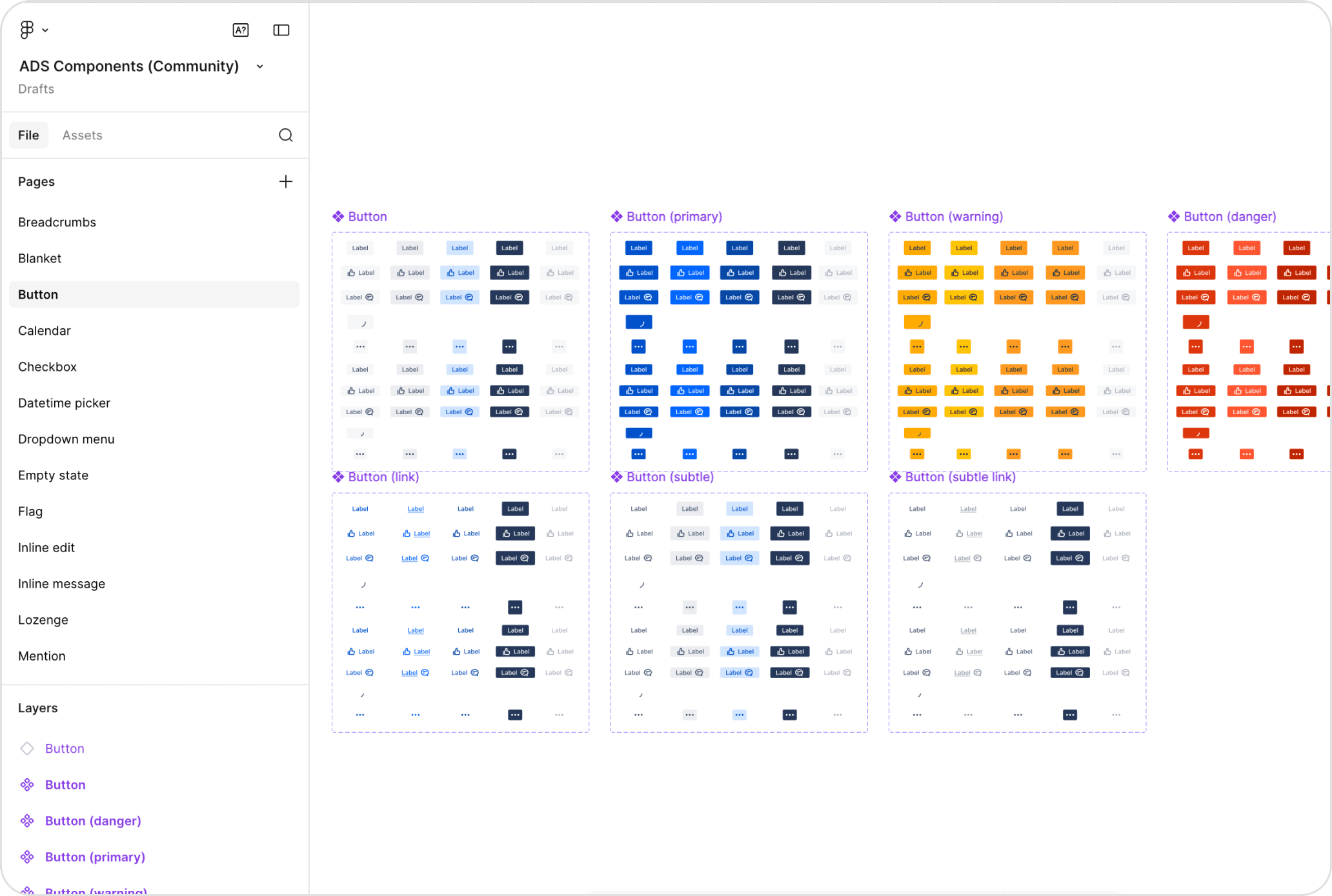
Atlassian's design system stood out for one reason, organization. From how their files were structured to how each component was built and documented, everything had a clear place and a clear purpose. It was a great reference for how a design system should be set up when multiple teams are working from it at scale.
Key take aways:
File organization structure, how they separate and manage their component files at scale
Component architecture, how each component is built, documented, and made ready for use across teams
3
Orange design sytem
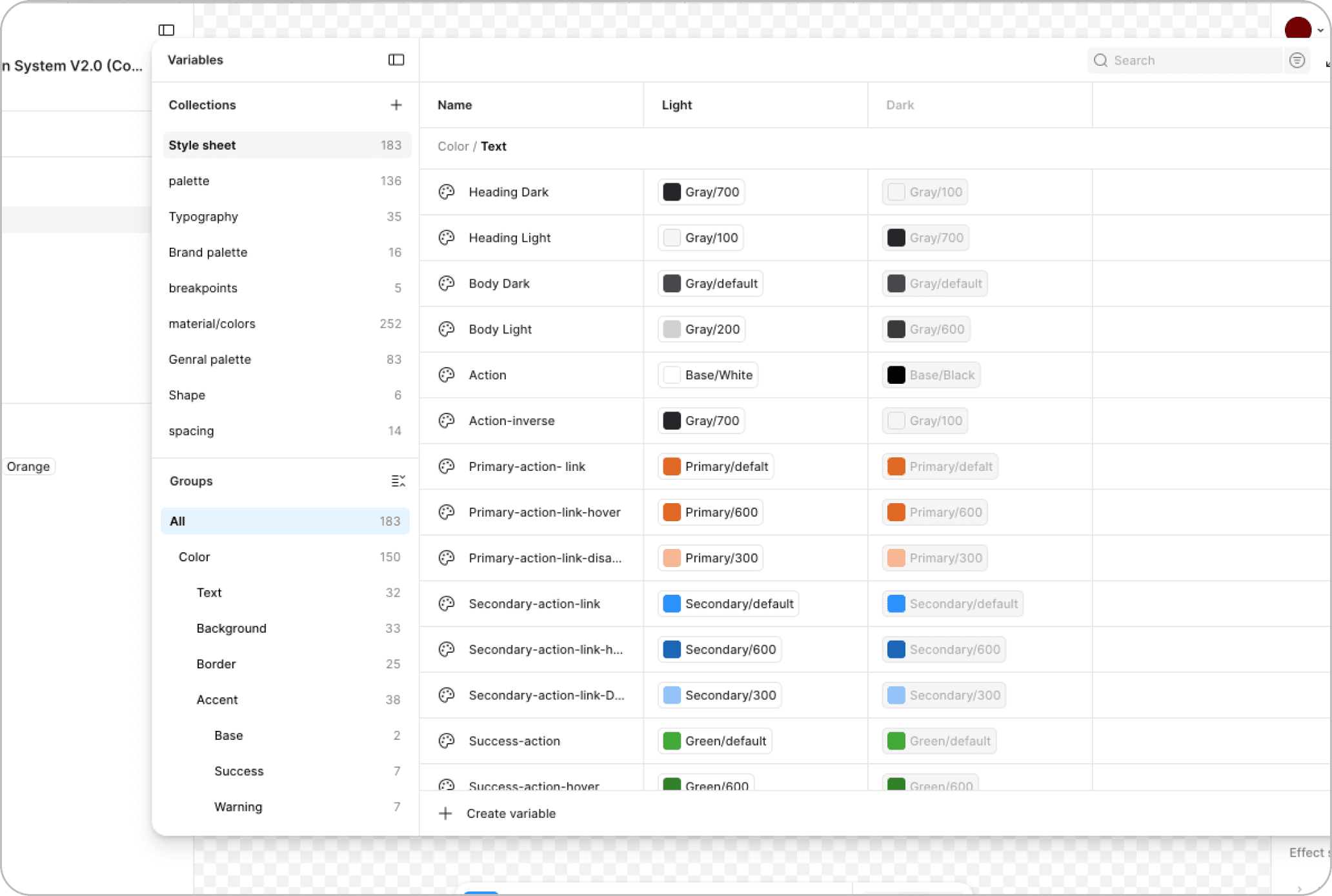
Orange Design System caught our attention for one thing — their variable setup. The way they had structured and organized their variables was clean and easy to follow, and we used that as direct inspiration for how we set up our own token tables in Figma.
Key take aways:
Variable table setup, a clean, well-structured approach to organizing variables that we used as direct inspiration for how we set up our own token tables in Figma
What we took away to build Compass.
In order to build Compass, we took away key learnings from systems that were already working well at scale.
1
It's structured, not rigid.
Built to scale with our product flexible enough to grow with new use cases without needing to be rebuilt each time.
2
Accessibility is built in, not bolted on.
Accessibility is a core design value in Material 3, integrated into the system by default critical for a product operating in the healthcare space.
3
Token naming that guides without restricting.
Colors, typography, spacing, and more are all managed as design tokens exactly the shared language we needed between design and engineering.
BUILDING COMPASS
This is where the real work started.
One of the most important problems Compass had to solve wasn't just visual consistency ,it was organizational. Three separate teams were building on the same product: the app team, the web team, and the marketing team. Each had their own workflows, their own Figma files, and up until this point, their own interpretation of what the brand looked like in practice.
No matter what each team was working on, the one thing we all needed to be in agreement in was the foundations. Color, typography, iconography, and spacing lived here as primitive tokens, the shared base that every team was expected to pull from, keeping the whole product feeling like one cohesive system.

TOKENS
Setting up the tokens
what are tokens?
Tokens are the smallest named values in a design system — things like a color, a font size, or a spacing value. Instead of hardcoding #0064FF into every button, you give that value a name like interactive-primary and reference that name everywhere. When the value needs to change, you update it in one place and it updates everywhere automatically. That's what makes a system actually scalable.
Architecting the system
Before building components, we needed to define how the system would work from the ground up. We structured Compass in layers: hardcoded values held the raw design decisions, primitive tokens gave those values consistent, reusable names based on their visual family, and semantic tokens translated those primitives into platform-specific meaning and usage. This created a clear relationship between the foundations and how they were ultimately applied across the product.


SETTING UP THE LIBRARIES
Translating to platform libraries
Each platform had its own dedicated library, adapted from the shared foundations. Every library included:
Semantic color tokens
Semantic typography tokens
Icons and spacing pulled directly from the foundations
A component set built on top of it all
Marketing pulled from the web library rather than the foundations directly keeping it aligned with the web product without needing its own token layer.

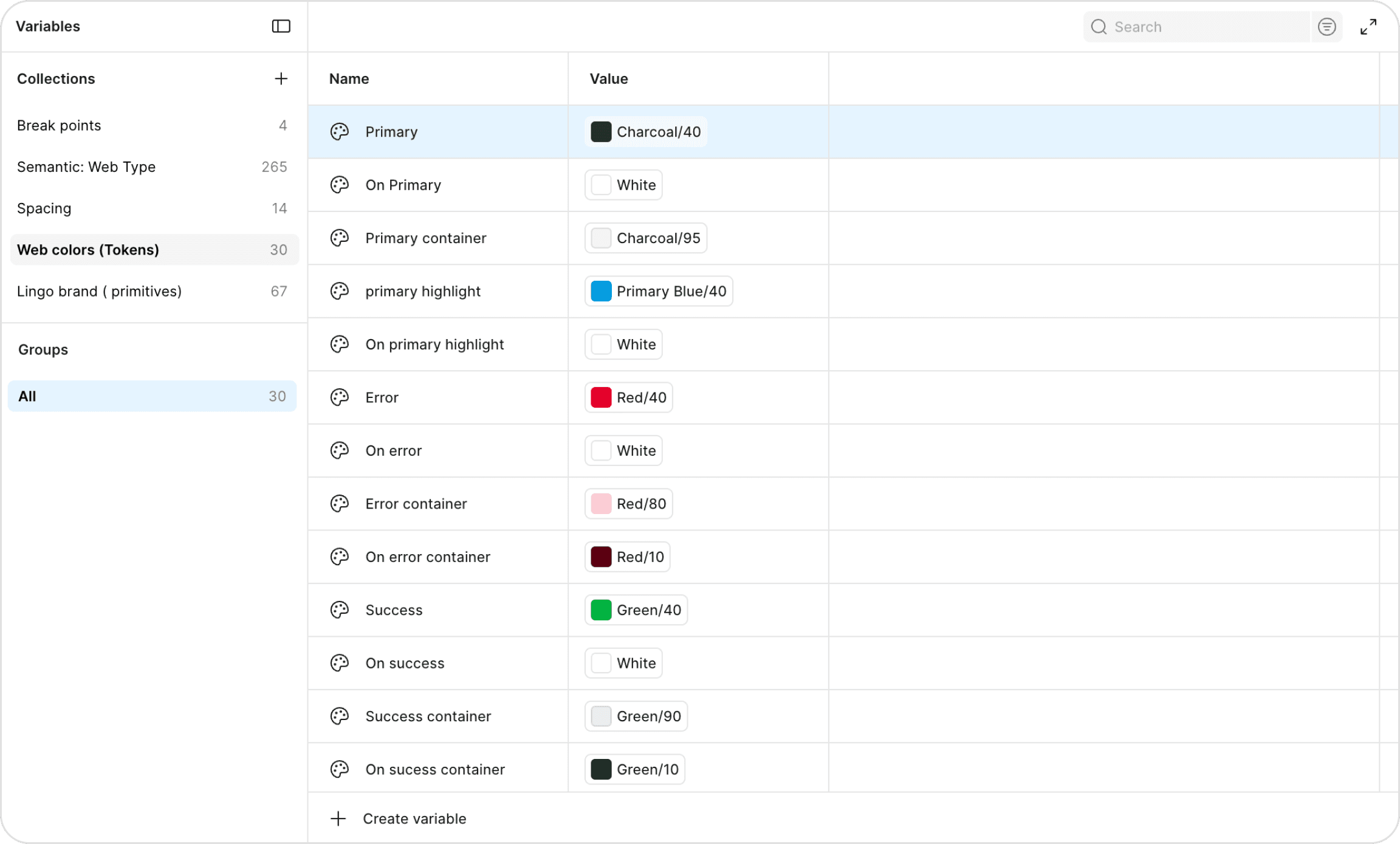
Colors
Every color in the system has two names. The first is the semantic name something like Primary or Error, which tells you exactly what the color is for and where to use it. The second is where that color actually comes from, the primitive token that lives in the foundations, like Charcoal/40 or Red/40.
Think of it this way: the foundations hold the raw values and give them a primitive name. When we build a platform-specific library, we pull from those foundations and give each color a second name based on how it's actually used in that context. One layer for the value, one layer for the intent.
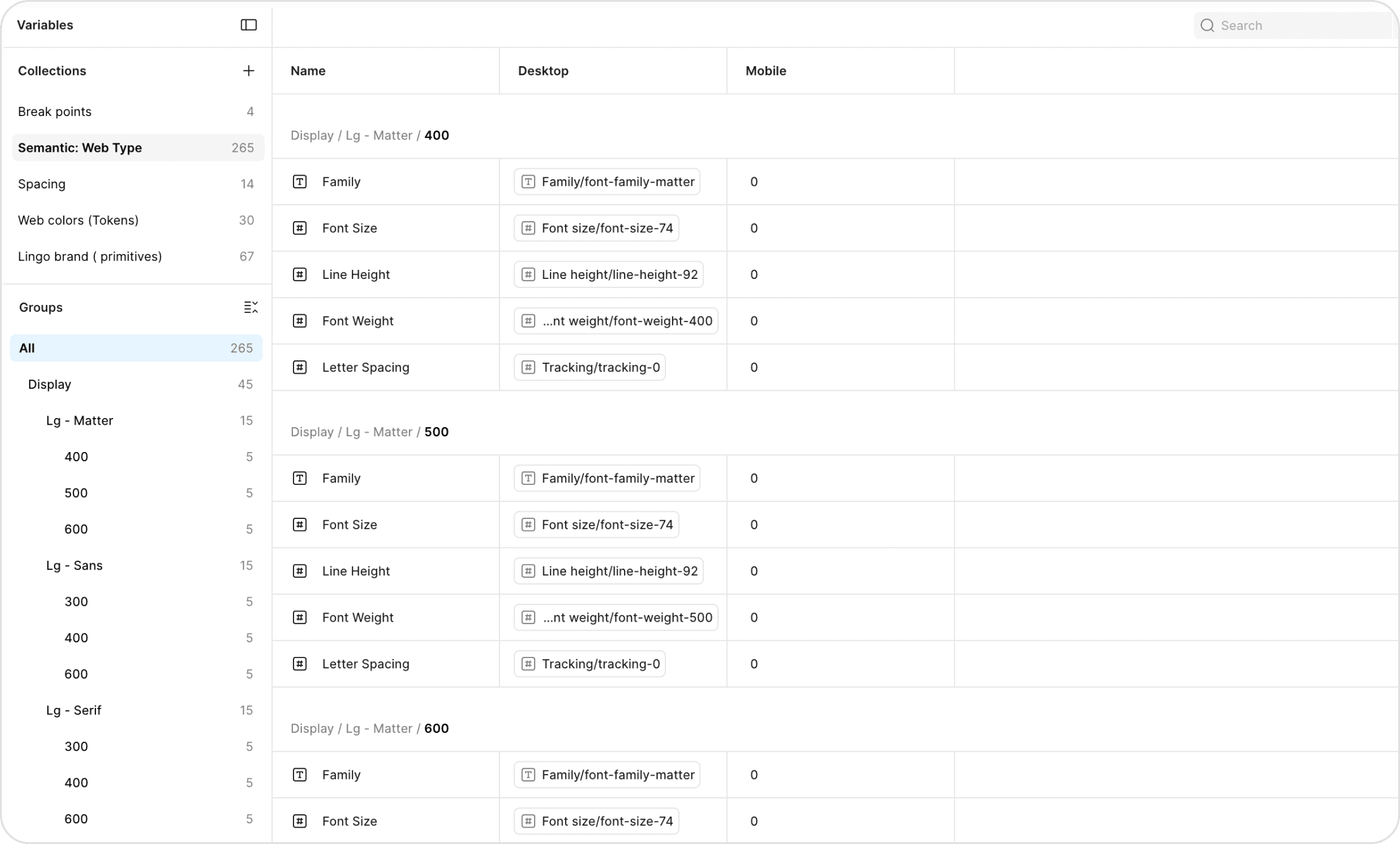
Typography
Typography works the same way. Every text style has a semantic name that tells you what it's for like Display/Lg or Body/Md and under the hood it's pulling its values from the foundations. Font family, font size, line height, font weight, and letter spacing all live as primitive tokens in the foundation layer. The semantic name tells you when to use it. The primitive tells you what it's made of.
COMPONETS
Building reusable components
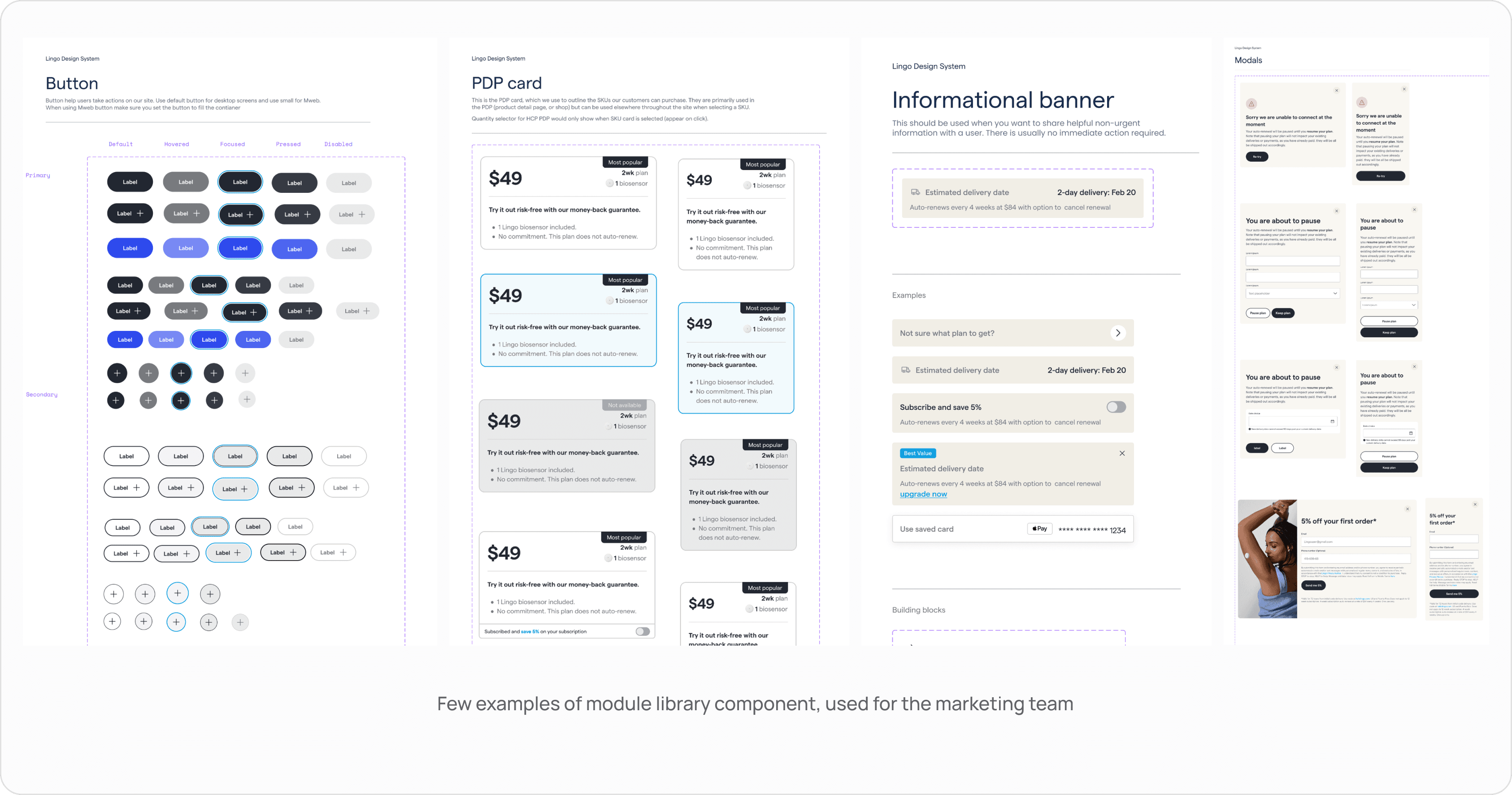
With the foundations and tokens in place, it was time to build. Every components in compass was designed to be reusable, consistent and ready to plug into any surface across the product.
The library covered everything teams needed to move fast without braking consistency.
Complex component architecture
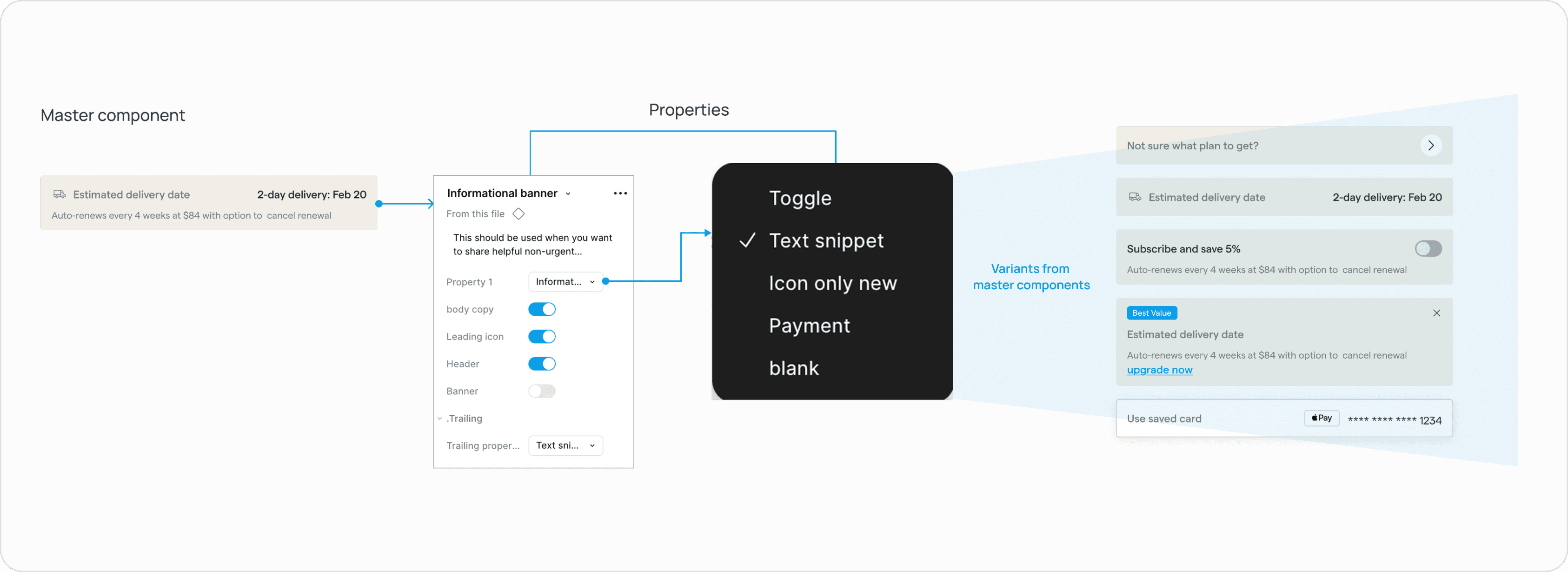
Not every component in Compass was straightforward. Some were built as master components ,one source that could generate multiple variants simply by toggling properties on or off. The informational banner is a good example of this: one master component, five distinct variants, all managed through Figma properties.
The module library
The module library was built as a set of ready to use building blocks for the marketing team, so they could put together landing pages quickly and confidently, without having to create things from scratch or step outside what was already live in the code. It kept everyone moving faster and working on the same foundation.
This made it possible to:
Save time and iterate quickly
Launch 114 marketing pages, compared to just 20 the previous year
Bring the product design team and marketing closer
COLLABORATING WITH ENG
Design X engineering
Building a design system isn't something you do in isolation and hand off at the end. Throughout the entire process, design and engineering were in constant communication ,reviewing, validating, and building together. Here are a few things worth highlighting about how that collaboration actually worked
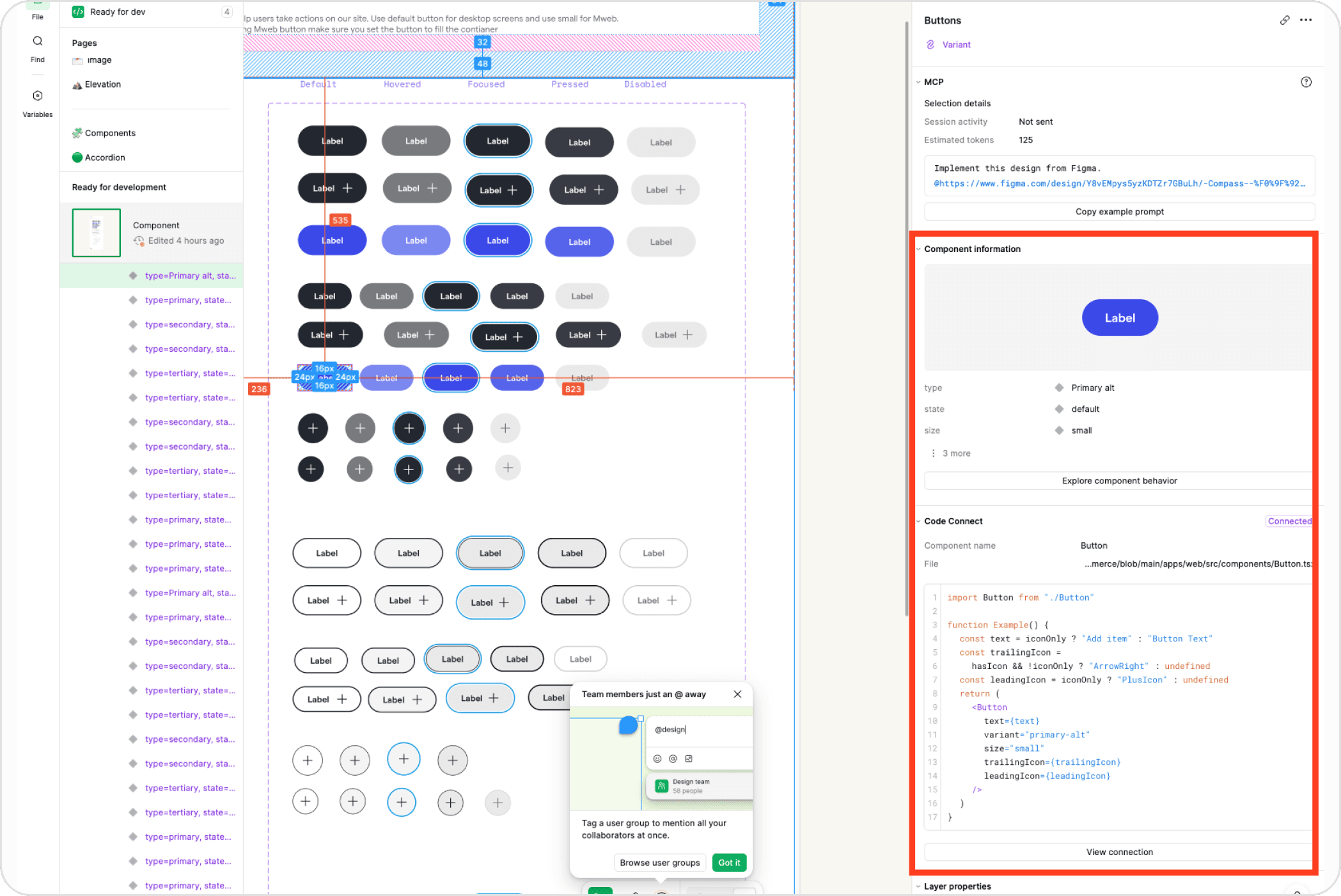
Linking to code connect
Once the components were built in Figma, engineers used Code Connect to link each design component directly to its real production code. That meant when any developer inspected a component in Dev Mode, they weren't seeing auto-generated CSS ,they were seeing the actual code snippet the team already uses. And it worked both ways, designers could also see exactly how each component was being built in code, giving everyone full visibility into the same source of truth.
Building storybook
We needed a place where designers could see exactly what engineering was building. That's why we brought Storybook in. It became the visual home for every component in the Compass engineering system, giving designers a working view of how each component looked and behaved so we could properly QA what was being built and make sure it matched the intent of the design.
Storybook is an open-source tool that lets teams build, test, and document UI components in isolation. Every component lives there in all its states ,default, hover, disabled, error ,so nothing gets lost in translation between design and code
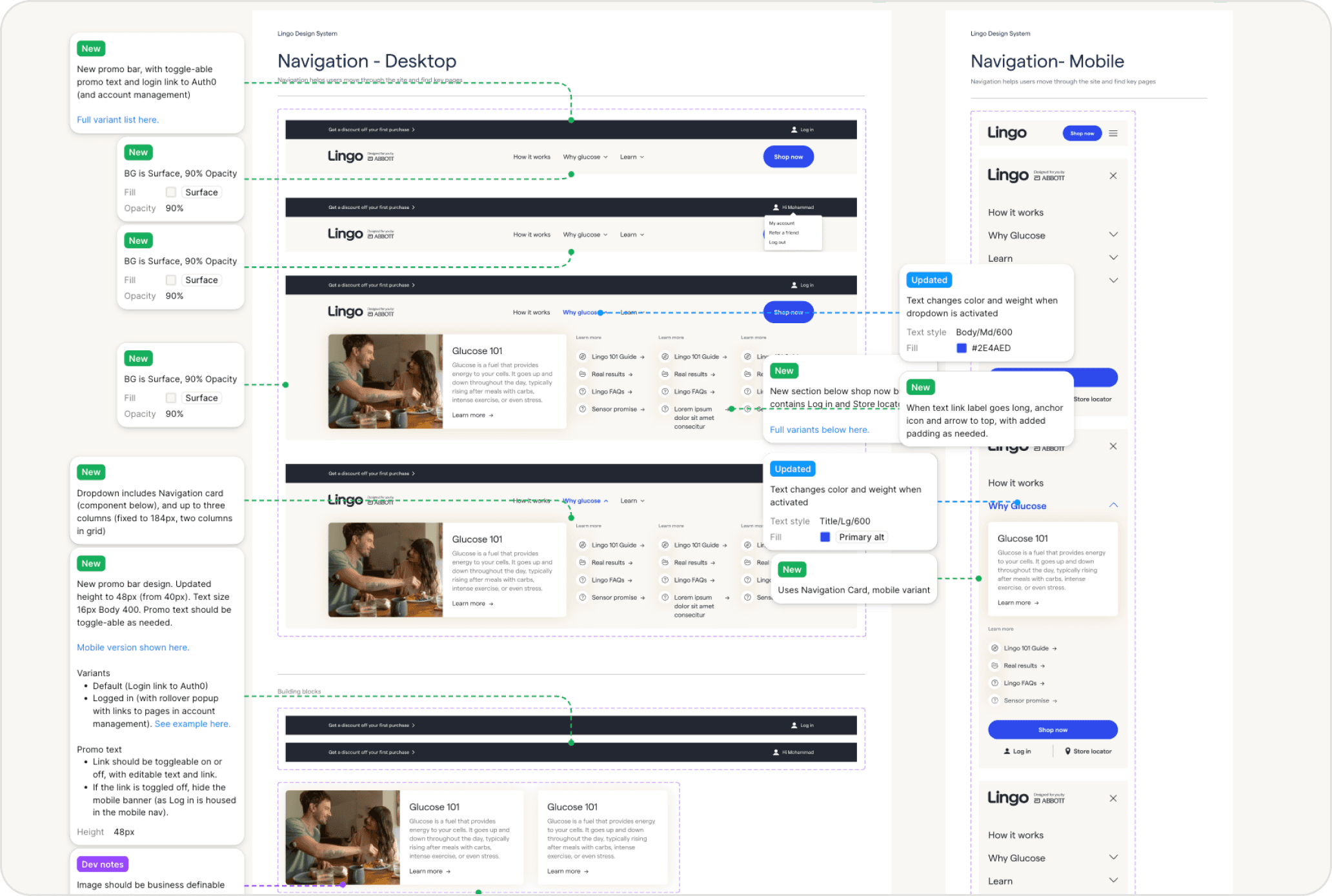
Annotating
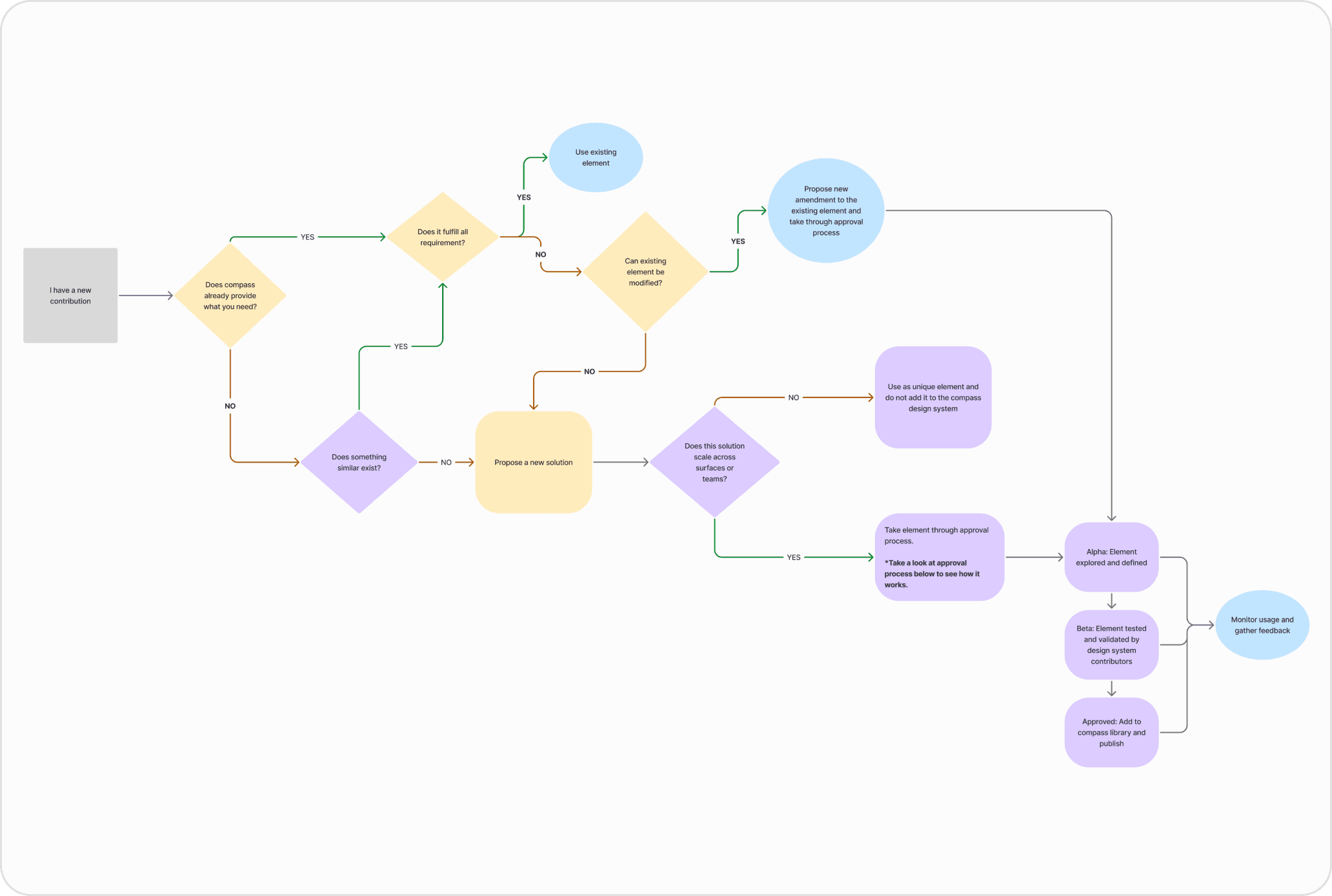
Building the system was only half the job ,the other half was making sure it didn't fall apart again. We put a maintenance process in place to ensure Compass stayed relevant and continued to be adopted across both design and engineering. Regular check-ins, a clear process for proposing and reviewing changes, and shared ownership across teams meant no single person was responsible for keeping it going, and no single person could let it slip.
Keeping the system alive
Building the system was only half the job the other half was making sure it didn't fall apart again. We put a maintenance process in place to ensure Compass stayed relevant and continued to be adopted across both design and engineering. Regular check-ins, a clear process for proposing and reviewing changes, and shared ownership across teams meant no single person was responsible for keeping it going and no single person could let it slip.
RESULTS
Growth we achieved through our designs
114 marketing pages launched
Compared to just 20 the previous year. The module library gave the marketing team the building blocks to move fast without stepping outside the system.
5% → 100% component usage
The old system had under 5% adoption. Compass became the system the whole org actually relied on, from a file nobody followed to a foundation everyone built from.
+80% Design velocity
With tokens, components, and guidelines all in one place, designers stopped spending time on decisions that had already been made and started spending it on work that actually moved the product forward.
100% Org adoption
App, web, and marketing teams all building from the same foundation, for the first time, everyone was working from the same source of truth.