Liveliness
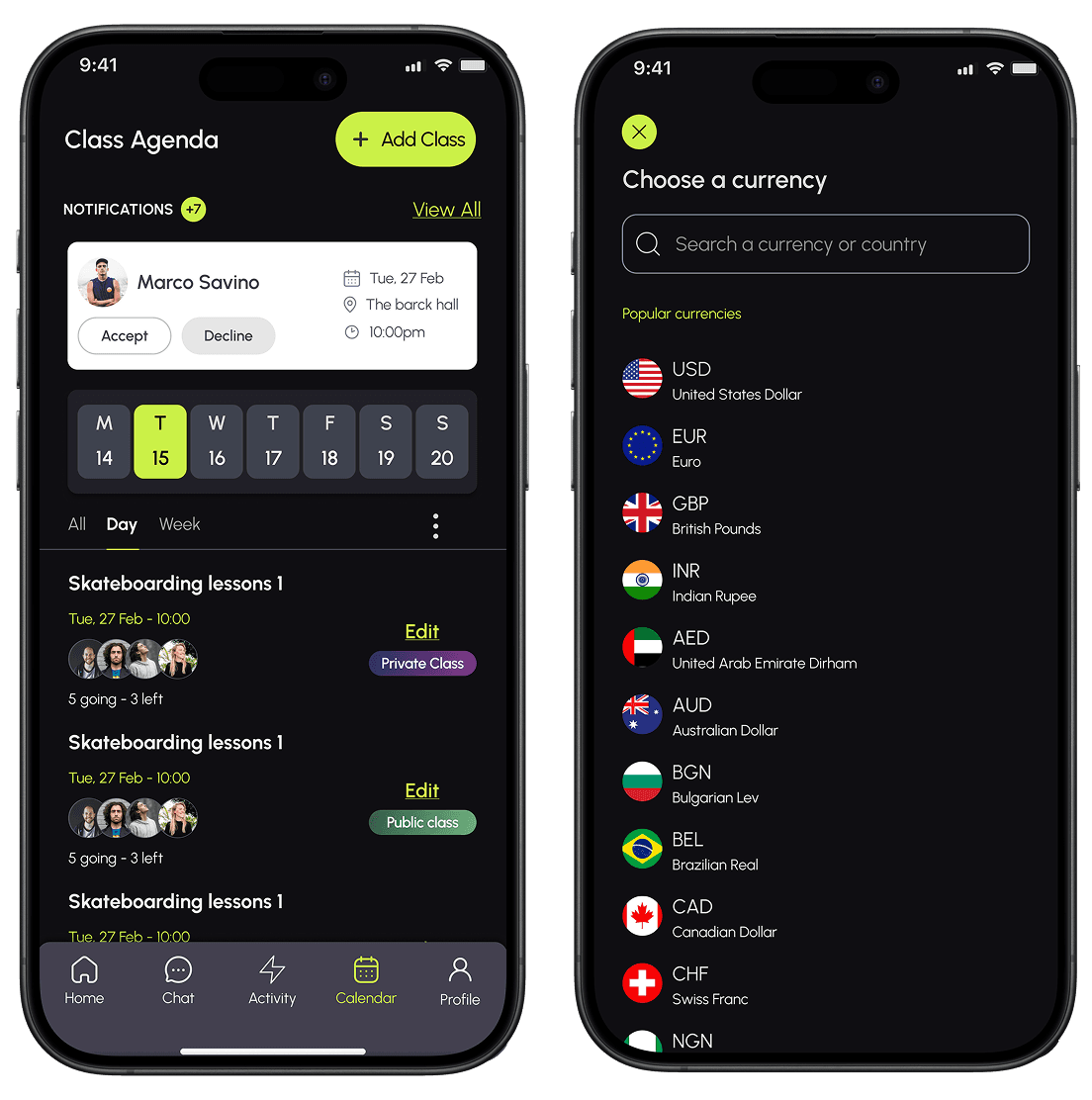
Liveliness connects sports enthusiasts with like-minded people in their area making it easier to find teammates, discover coaches, and stay active together.
OVERVIEW
Liveliness is an exciting startup that connects like-minded individuals based on location, allowing them to come together for sports activities. It also provides a platform for talented coaches to showcase their expertise and offer personalized training. By fostering a vibrant community, Liveliness promotes connections, learning, and inspiration for individuals to excel in their athletic pursuits.
As the lead UX/UI Designer responsible for the liveliness B2C mobile app, my primary focus involved working with a cross-functional team to conduct extensive research, define design guidelines and execute a comprehensive redesign of the mobile application.
Role
Lead UX/UI designer
Timeline
10 week sprint
Team
5 designers
2 Developers
1 Project manager
Tools
Figma, Slack, Google workspace
PROBLEM
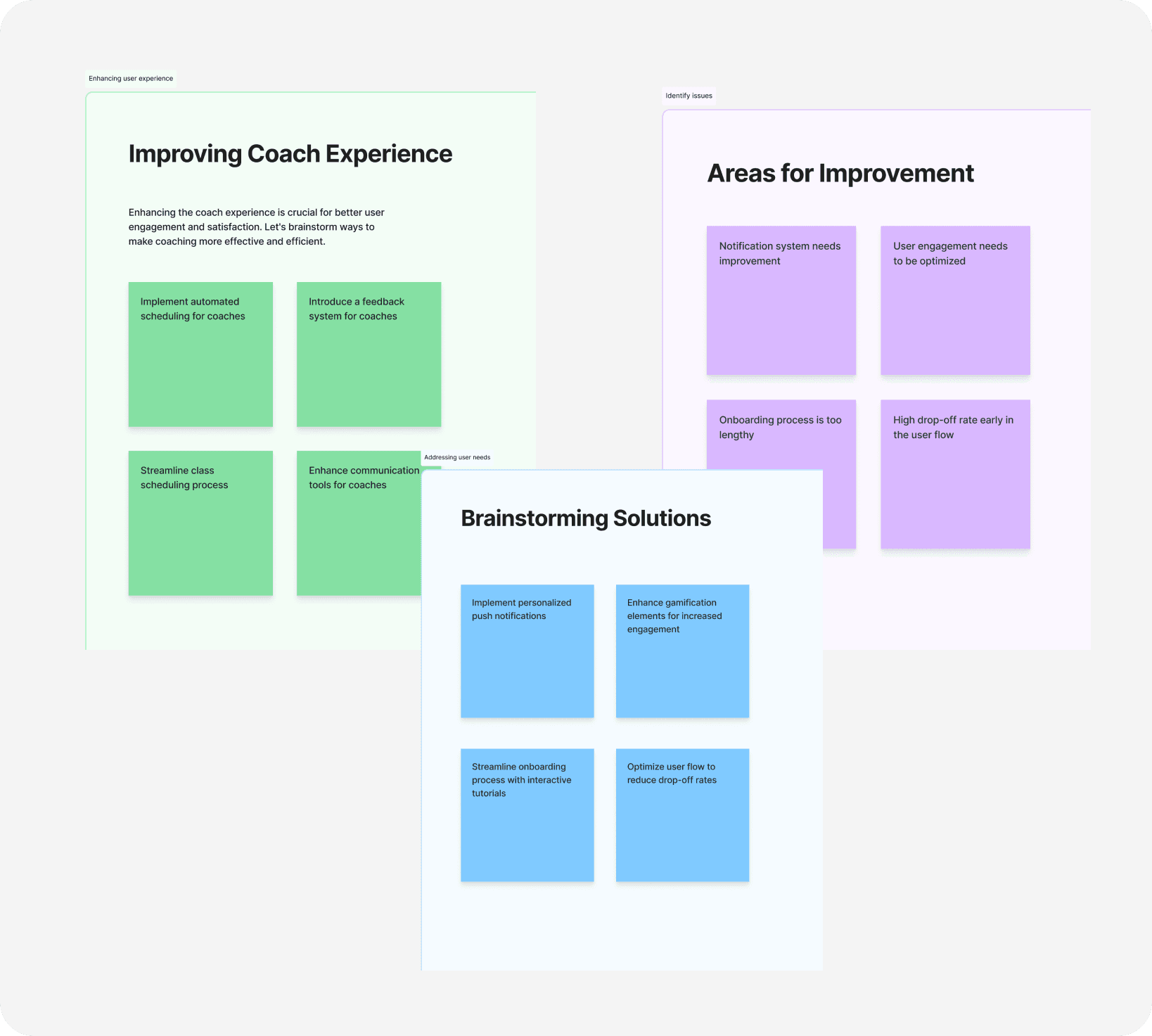
10% of users struggled with navigating the app, leading to its underperformance.
The primary challenge that was faced was that users found the app confusing to navigate, resulting in its underperformance of the over all application. This can be attributed to several specific issues
•users expressing dissatisfaction with the lengthy onboarding process
•encountering difficulties while editing their profiles
•being unable to provide essential information for class registration or remove users who wouldn't be attending.

SOLUTION
To solve this, we returned to the drawing board and changed our approach
Our team strategically decided to develop user-friendly flows that would effectively tackle navigation and comprehension issues. we were able to achieve this by:
Extensive secondary research → Heuristic evaluation and competitive analysis.
Style clarity → Creation of a clear style guide and component libraries.
Enhancing usability → Continuous user feedback for usability improvements.
HYPOTHESIS
HEAURISTIC EVALUATION
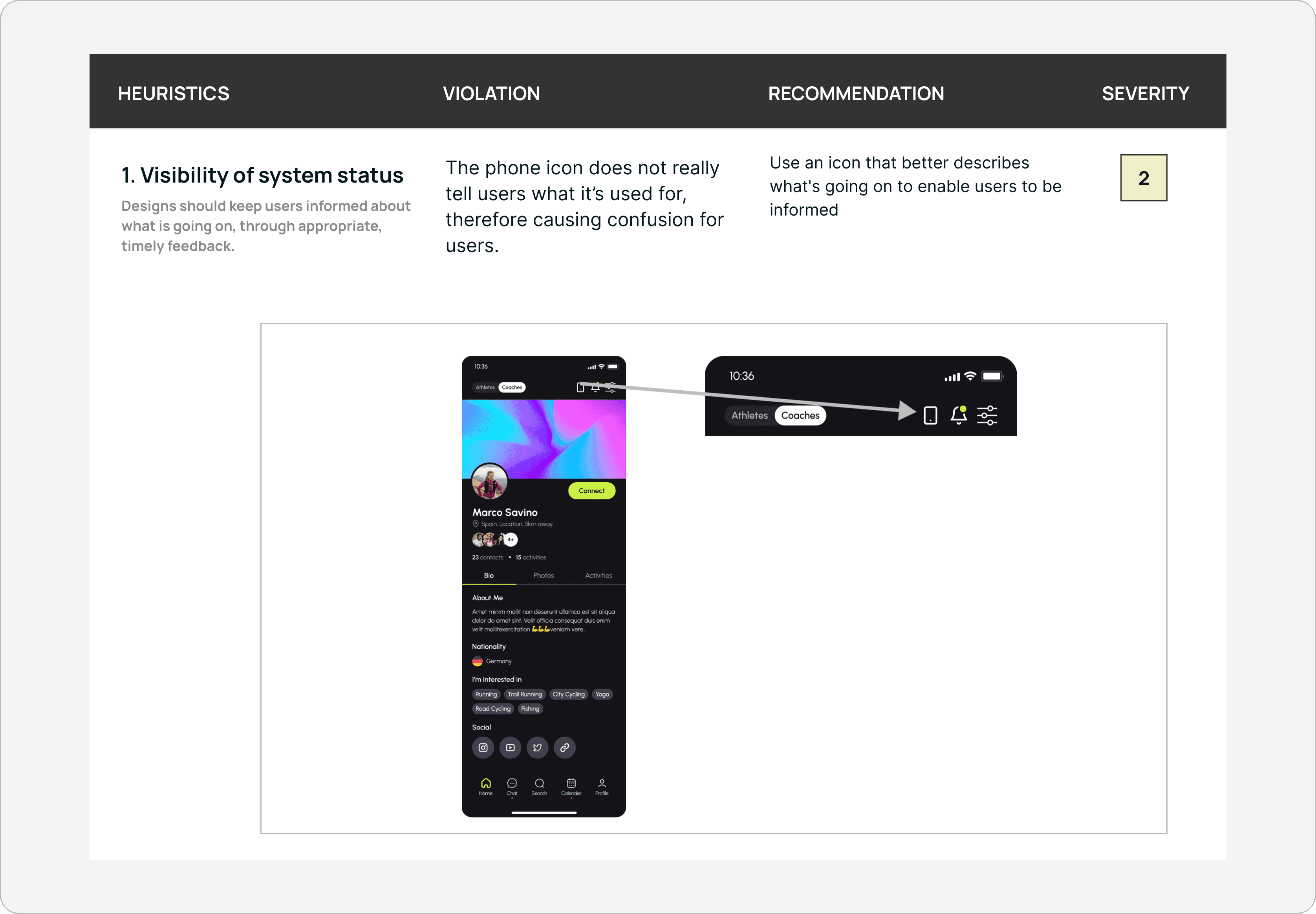
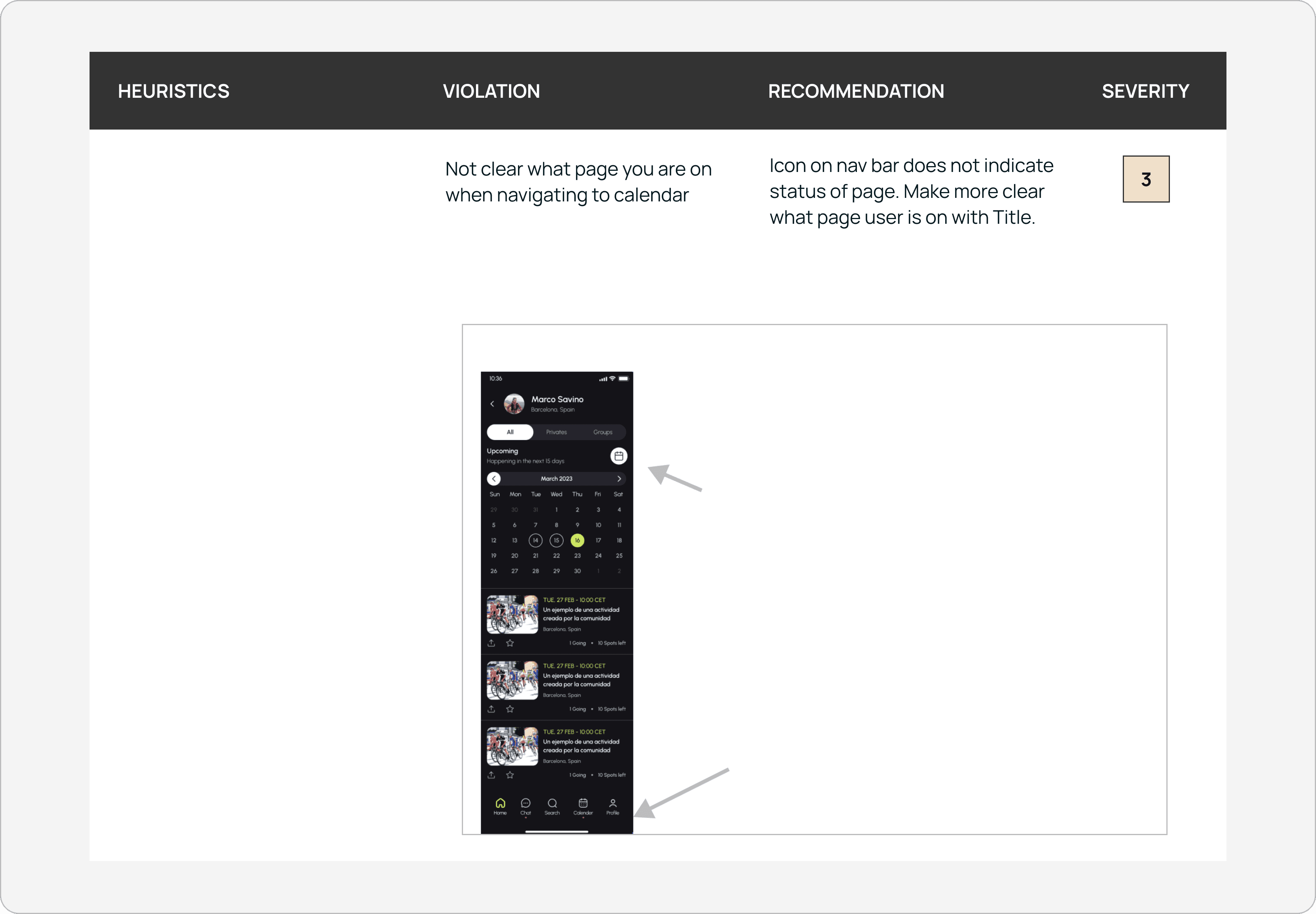
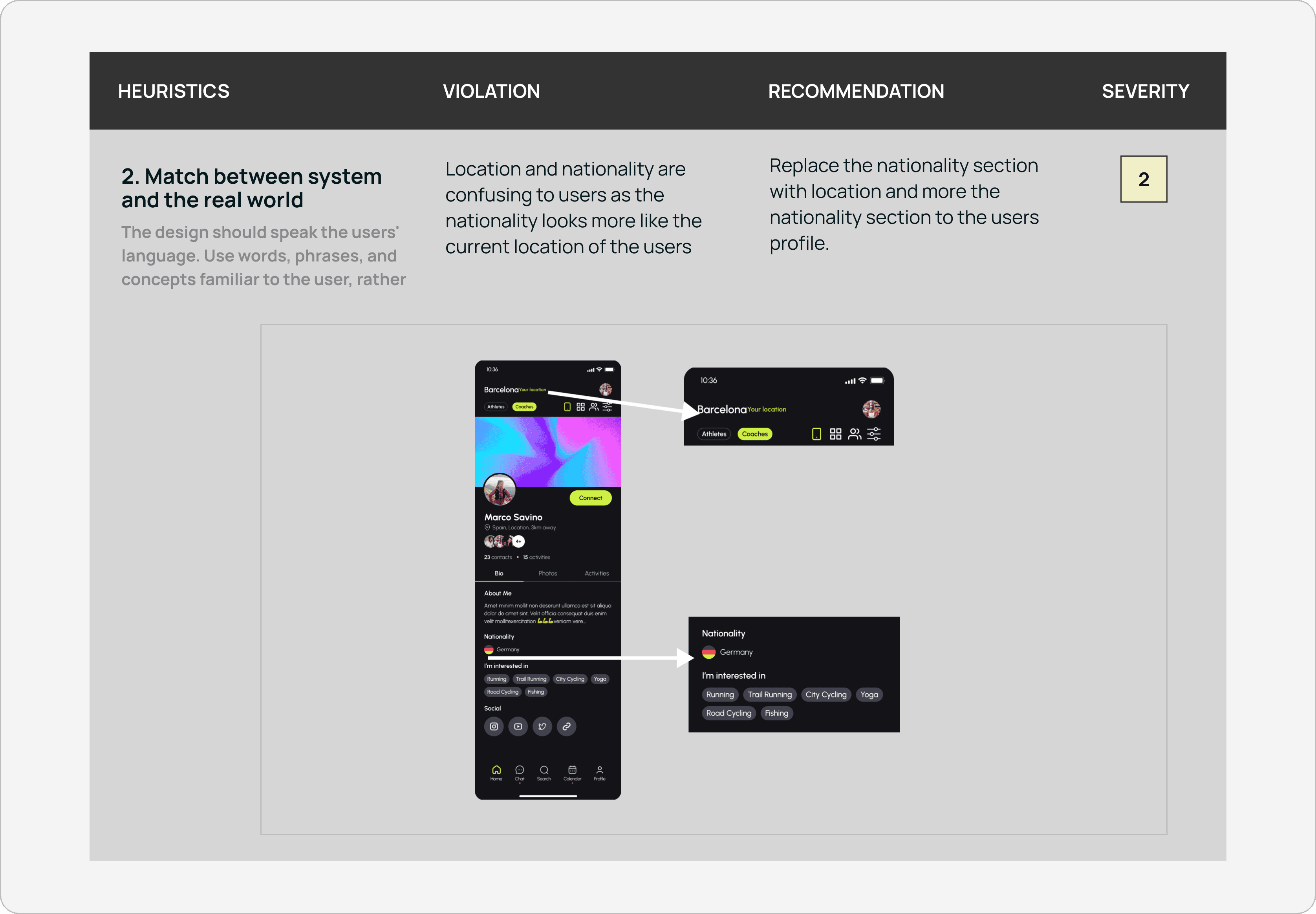
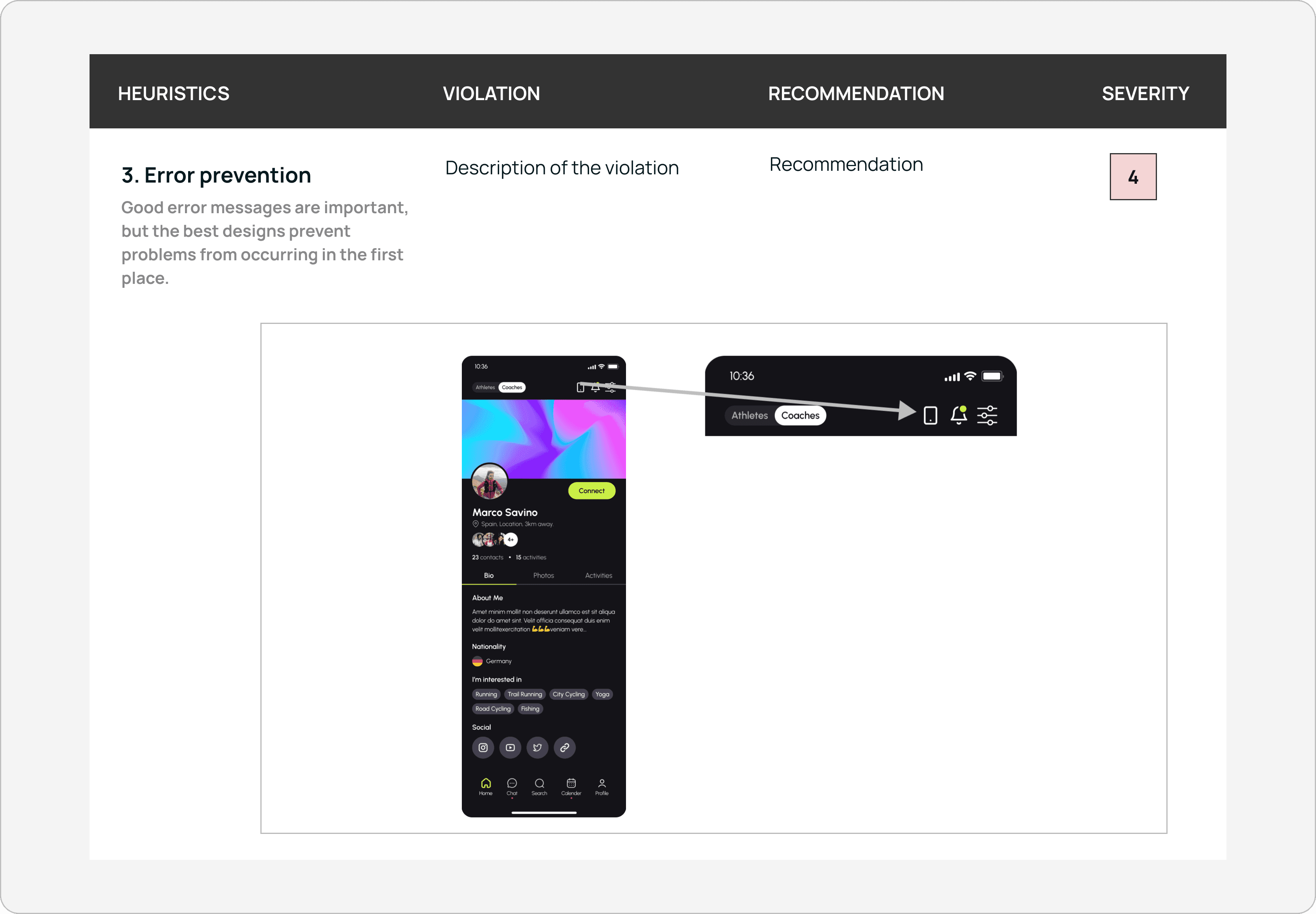
Let's assess the app to identify our missteps
In order to gain a comprehensive understanding of the user experience and identify any additional pain points not uncovered in the initial usability testing process, we conducted a heuristic evaluation of the current app. By evaluating the app against established usability principles, we aimed to assess its adherence to best practices and identify areas of improvement. This evaluation allowed us to view the app from the users' perspective, uncovering potential usability issues and enhancing our understanding of their needs and expectations.
USER INTERVIEW
Insights revealed from our assesment
Unable to remove users
coaches cant remove users who didn't join the class
Recurring creation
Users were required to repeatedly create classes instead of having the convenience of an option to add recurring occurrences.
Poor navigation
The navigation bar was lacking essential functions, which resulted in its incomplete functionality
Focus was shifted
Users focus more on posting pictures, rather than on the overall picture of liveliness
USER STORIES
Turning user needs into design decisions
Following comprehensive research into user pain points, we developed specific user stories to serve as guiding principles throughout our design process. As the team lead , I assigned each team member to a designated flow to enhance our efficiency and expedite our work.
01
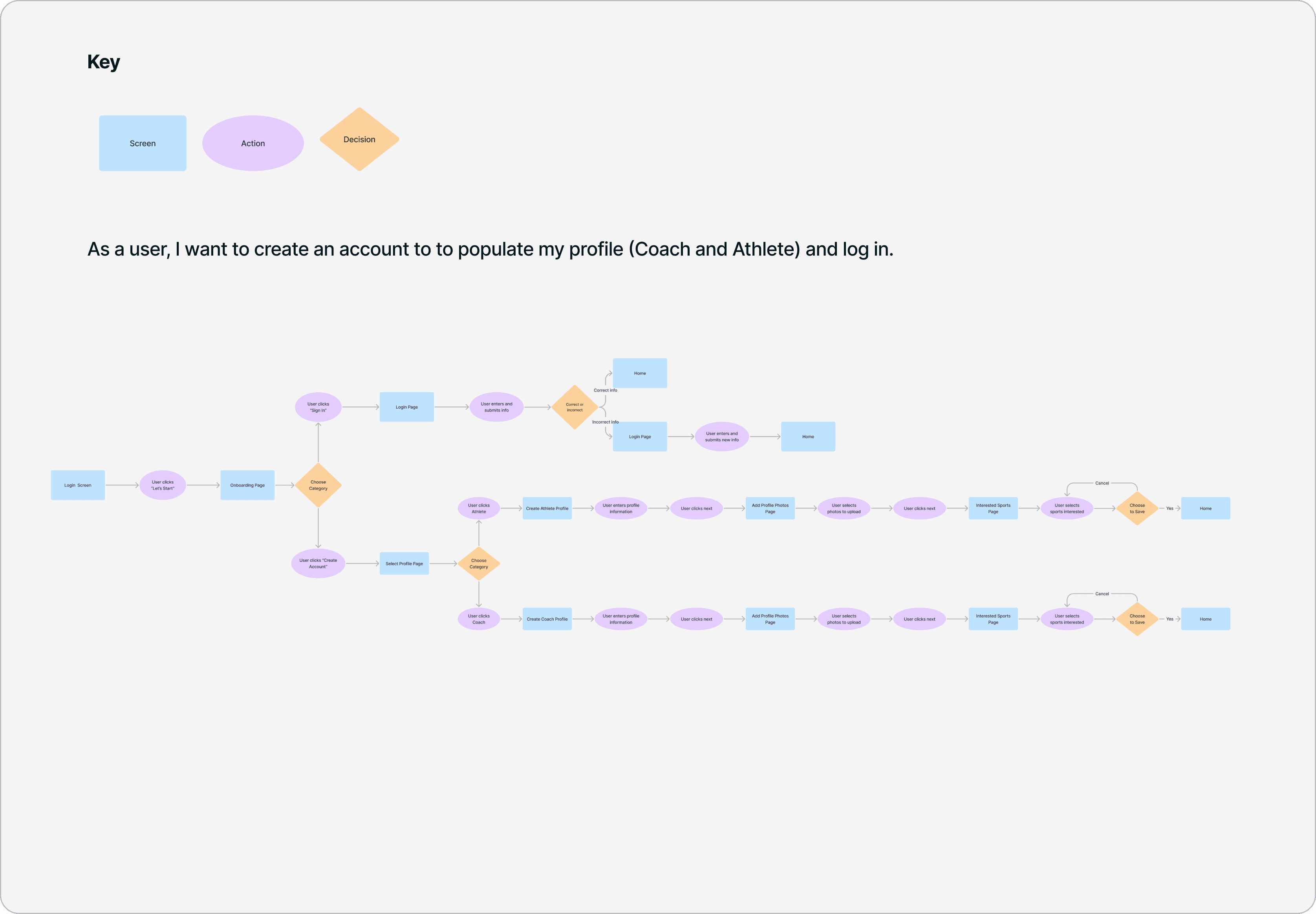
As, a user I want to create an account and log in
02
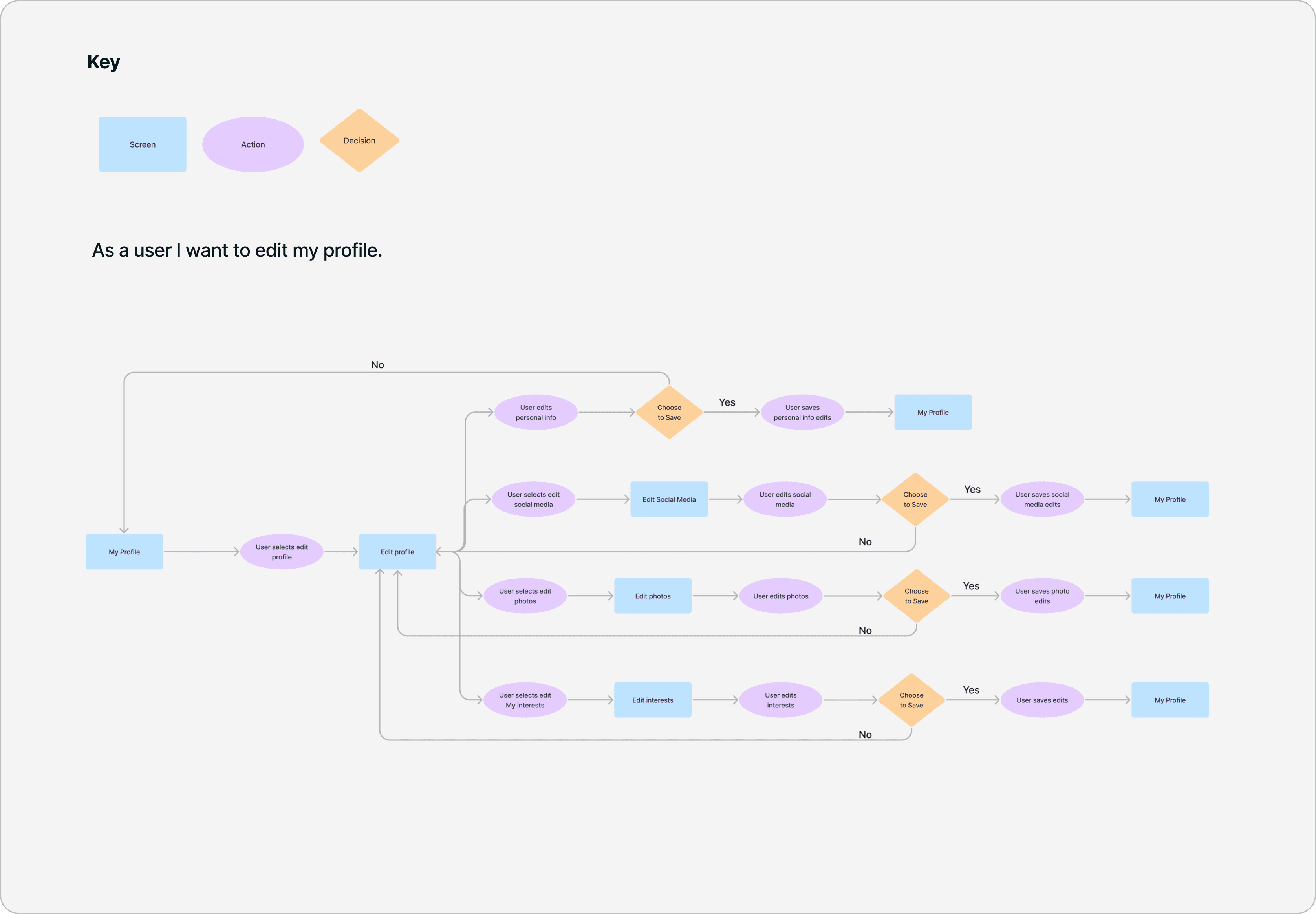
As a user, I want to be able to edit my profile a. Coach b. Athlete
03
As a user i want to edit my profile
04
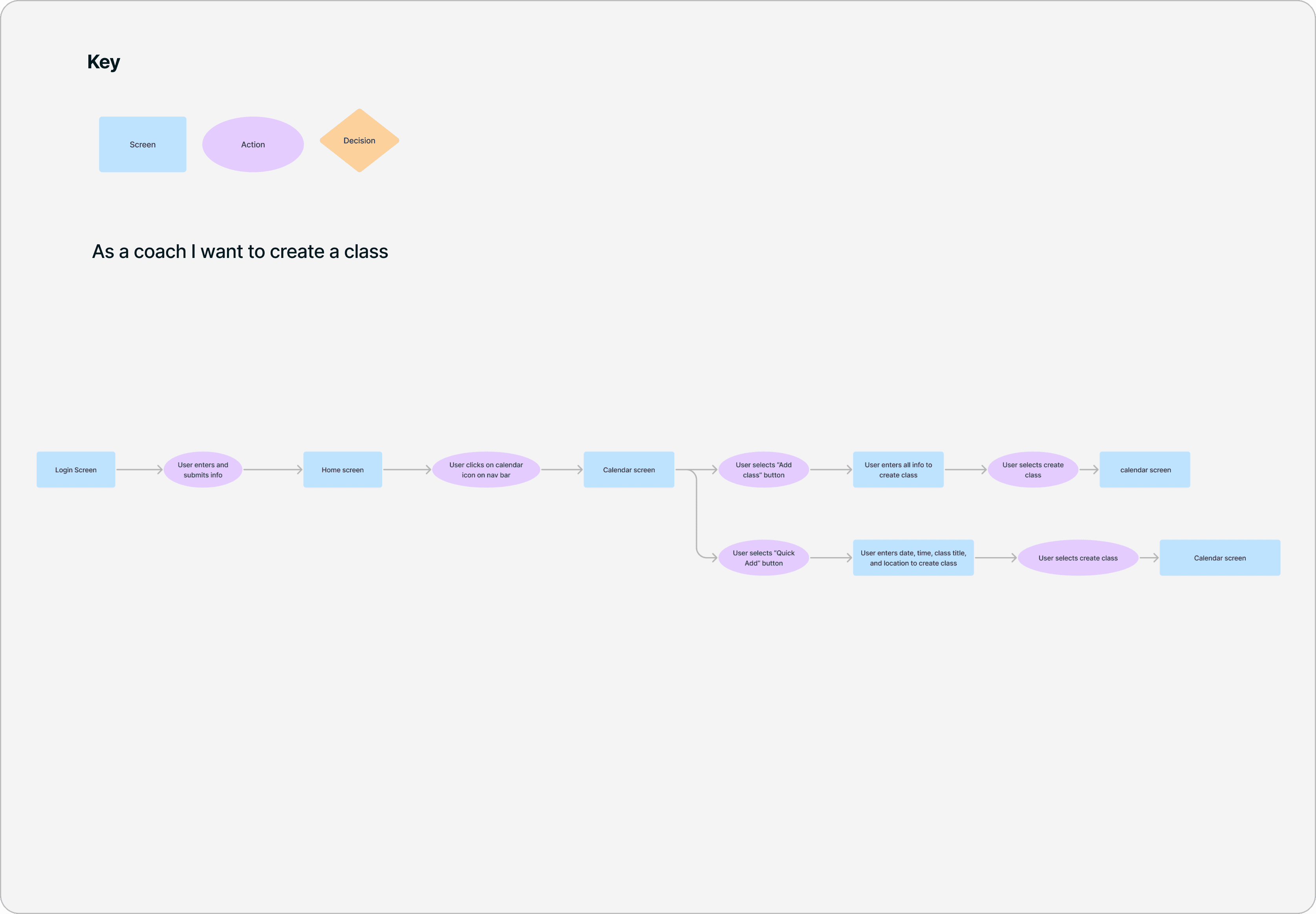
As a coach, i want to create a class
USER FLOWS
How users move through the experience
By examining their design, user interface, user experience, features, and target audience, I was able to uncover their strengths and weaknesses. This analysis allowed me to pinpoint ways in which my own design could excel and stand out. Considering aspects such as market positioning and brand identity, I provided actionable recommendations to enhance the user experience and leverage my project's unique value proposition. Through this process, I showcased my ability to understand the competitive landscape and deliver a compelling UX/UI solution.
ITERATIONS
After speaking to our target user, we found answers!
After going through several rounds of Iterations, I create a cohesive user experience flow that hits the mark in defining our user's goals. Users have found it incredibly user-friendly and easy to navigate
ITERATION #1
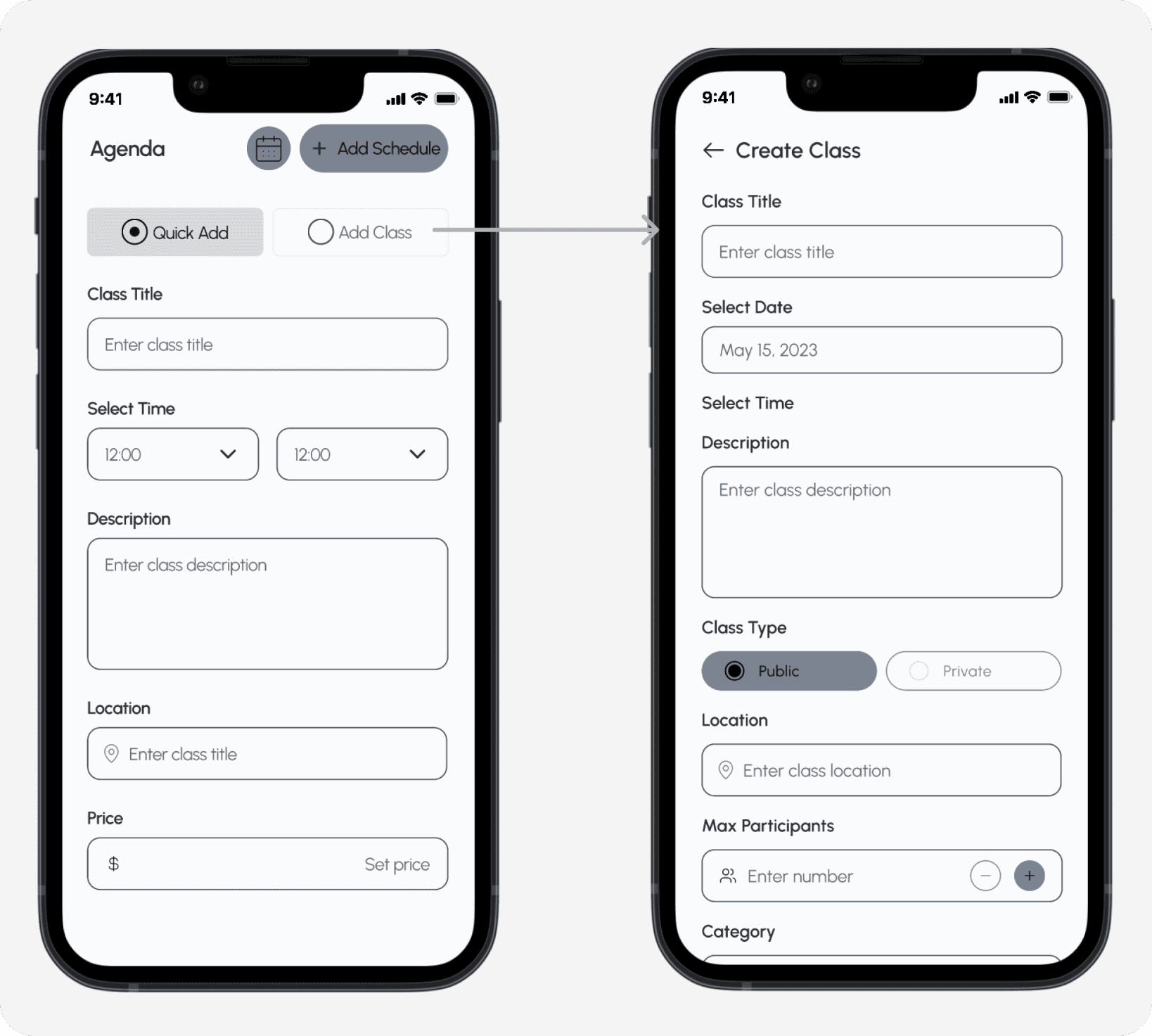
Streamlining Class Information Upload for Efficiency
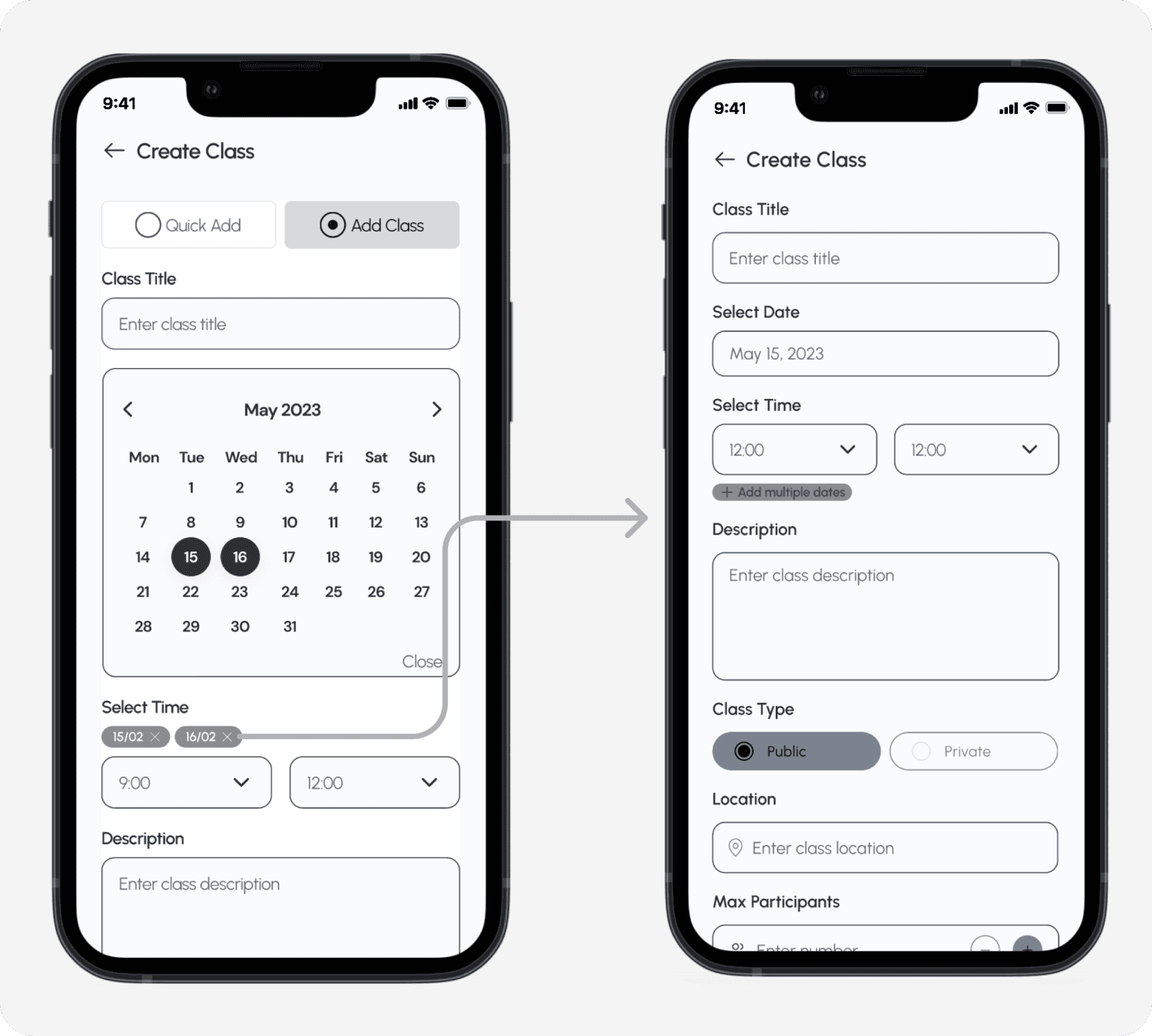
Initially, I had included two options for users to upload their class information. However, upon conducting thorough testing, I discovered that the "quick add to class" button didn't offer significant differentiation from the regular "add to class" button. Consequently, I made the decision to streamline the process by consolidating both options into a single form that caters to all classes. This modification allows users to conveniently input all the necessary information required for class creation, ensuring a more cohesive and efficient experience.
ITERATION #2
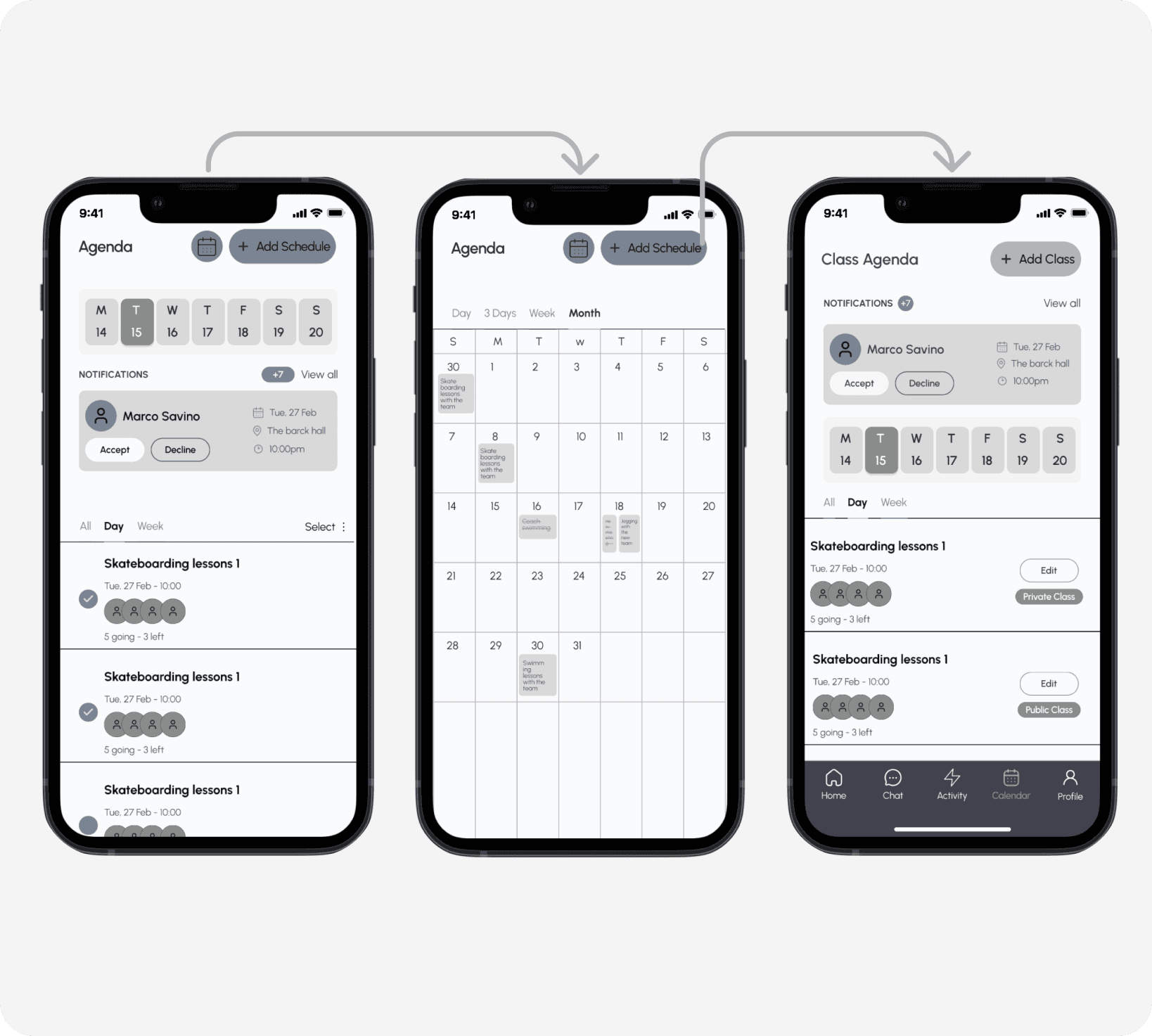
Simplifying navigations by removing the calendar icon
In the initial version, I included a calendar icon button that provided users with a comprehensive calendar overview. After conducting tests, it became clear that users didn't find it particularly useful because they could easily access all the necessary information from the agenda page. To simplify the user experience and eliminate any unnecessary confusion, I decided to completely remove the button.
ITERATION #3
Streamlining mult-date class selection
When I first designed this section, my intention was to allow users to select multiple classes by long-pressing the dates on the calendar. However, during user testing, it became apparent that this approach caused confusion among users. To make it easier for them, I decided to create a button that clearly indicates the option to add multiple dates. This change was aimed at simplifying the user experience and ensuring that users understand the functionality without any confusion.
DESIGN SYSTEM
Creating additional components to the Design system
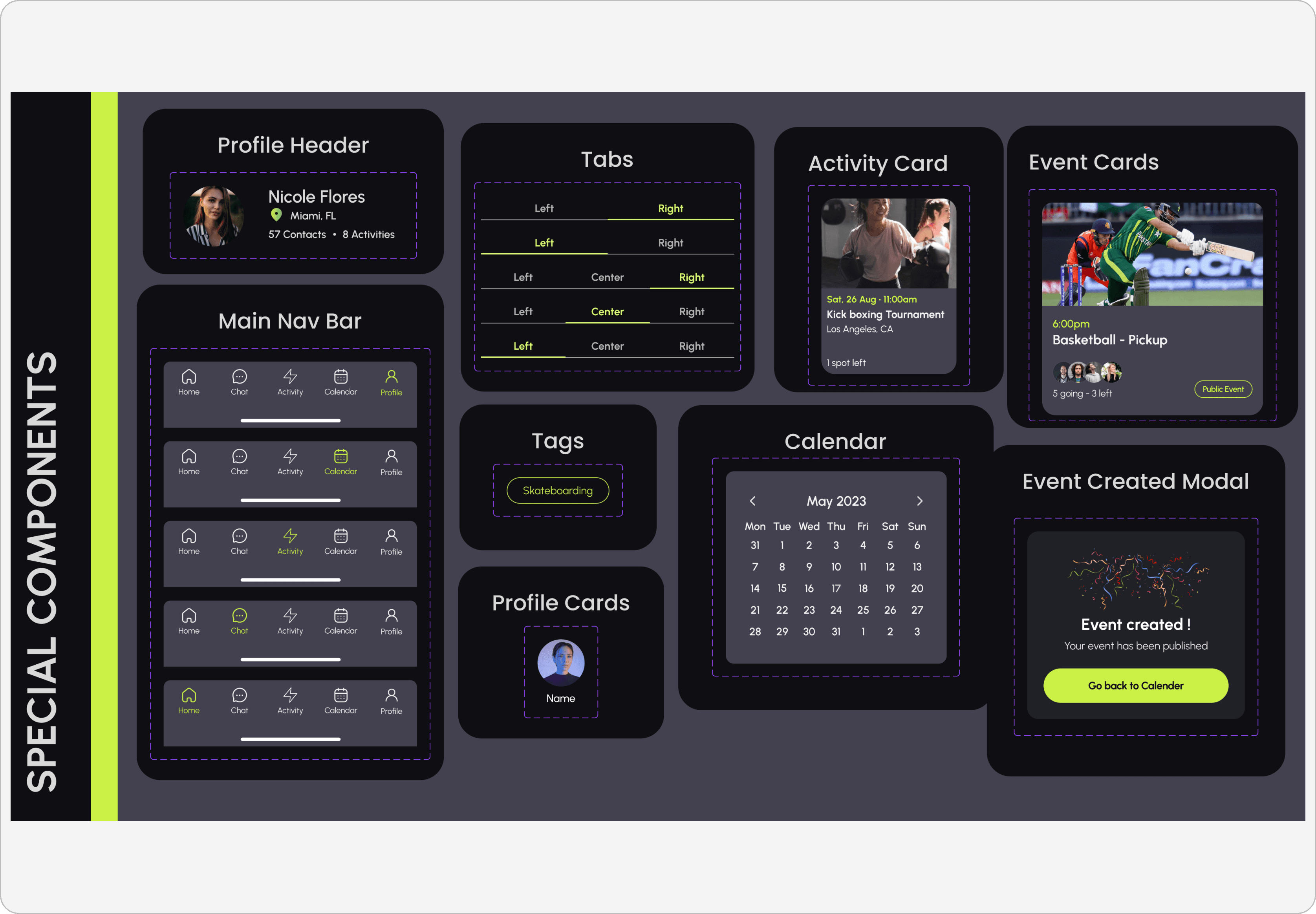
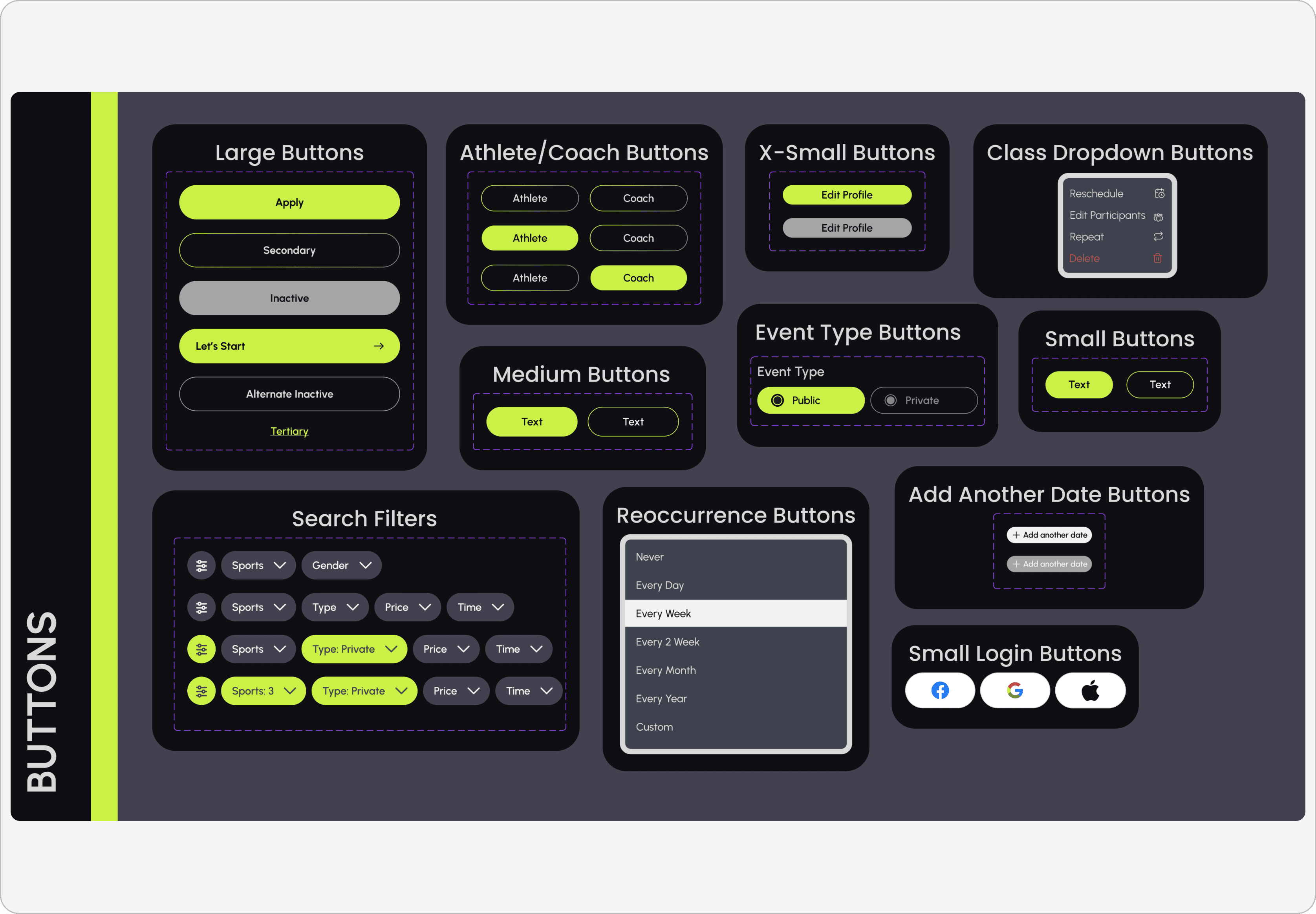
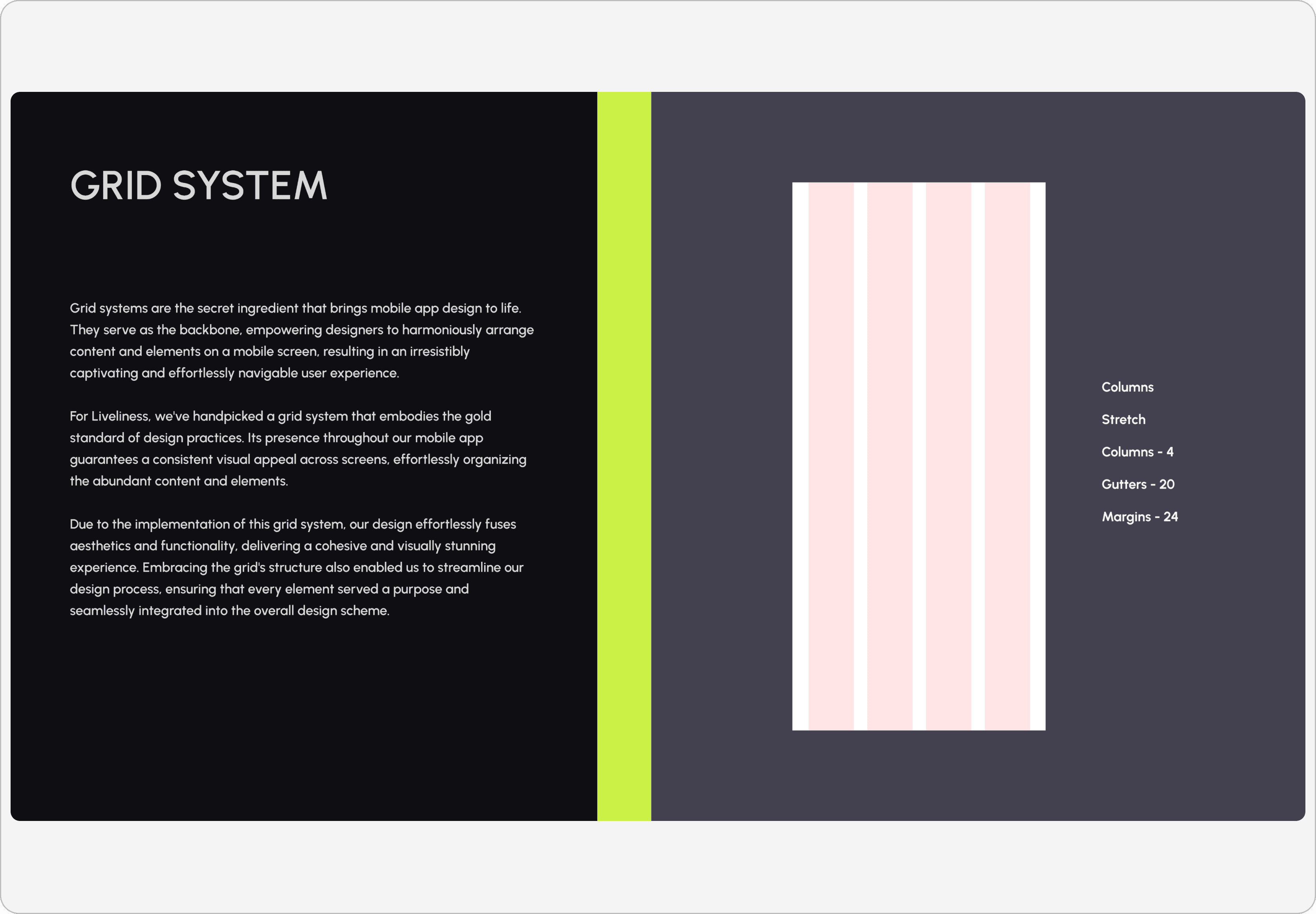
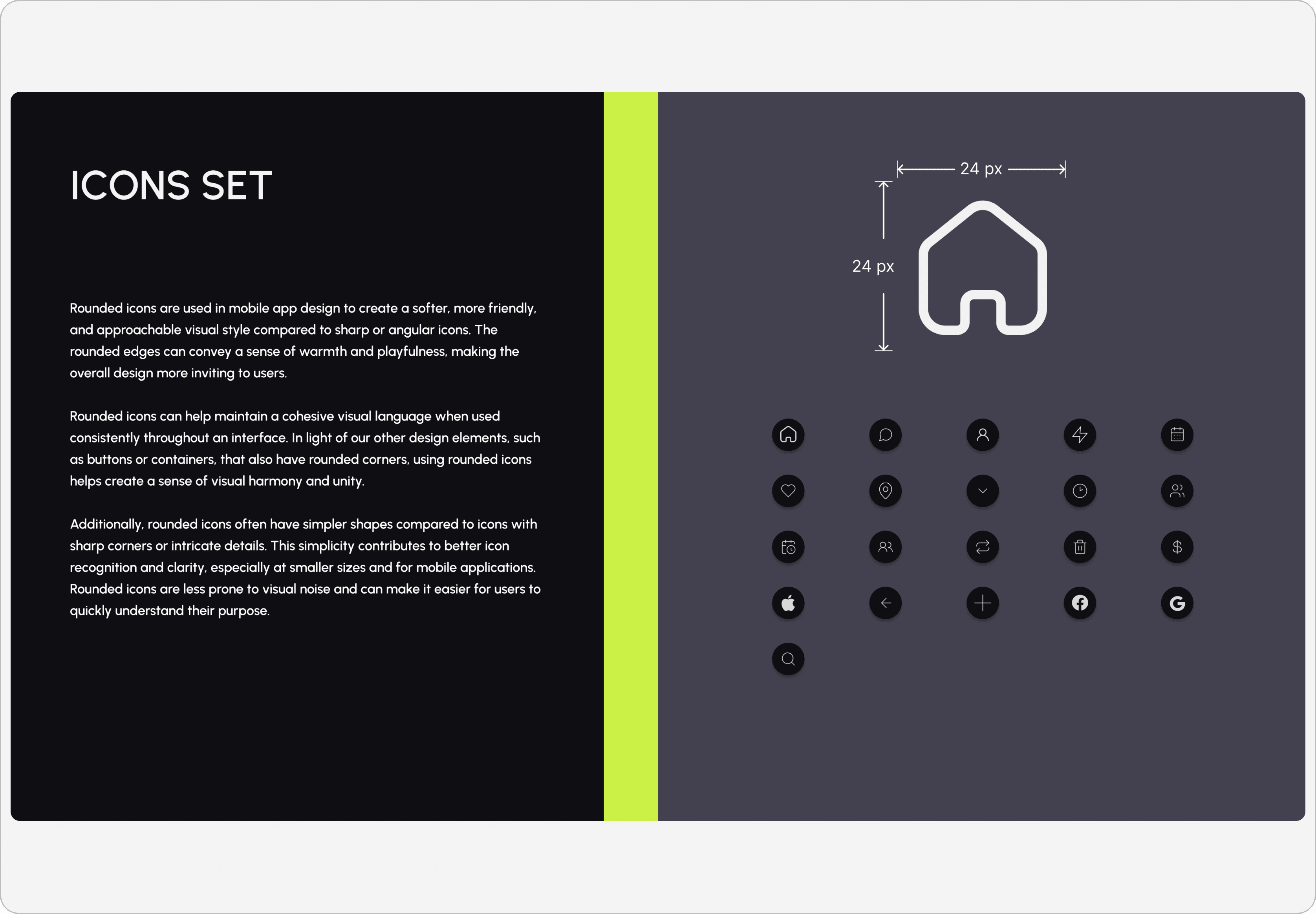
We developed a detailed Style Guide to maintain project consistency and organization. It included components for efficient element implementation. The style guide includes
•Typography
•Re-usable components
•Colors
•Imagery
•Iconography
BUSINESS IMPACT
Growth we achieved through our designs
-30% onboarding time
We reduced the average onboarding time by 30% by allowing users to skip non-essential information. This led to a smoother and quicker user journey from registration to active use.
+60% Coach Participation
The new platform made it easier for coaches to manage their classes, increasing participation by 60% through a streamlined class creation process and better usability.
+22% User Satisfaction
We reduced the average onboarding time by 30% by allowing users to skip non-essential information. This led to a smoother and quicker user journey from registration to active use.
+30% Retention Rate
Our design improvements focused on user engagement and satisfaction, leading to a 30% increase in retention
DEVELOPERS HAND OFF
My secrete to seamless team work!
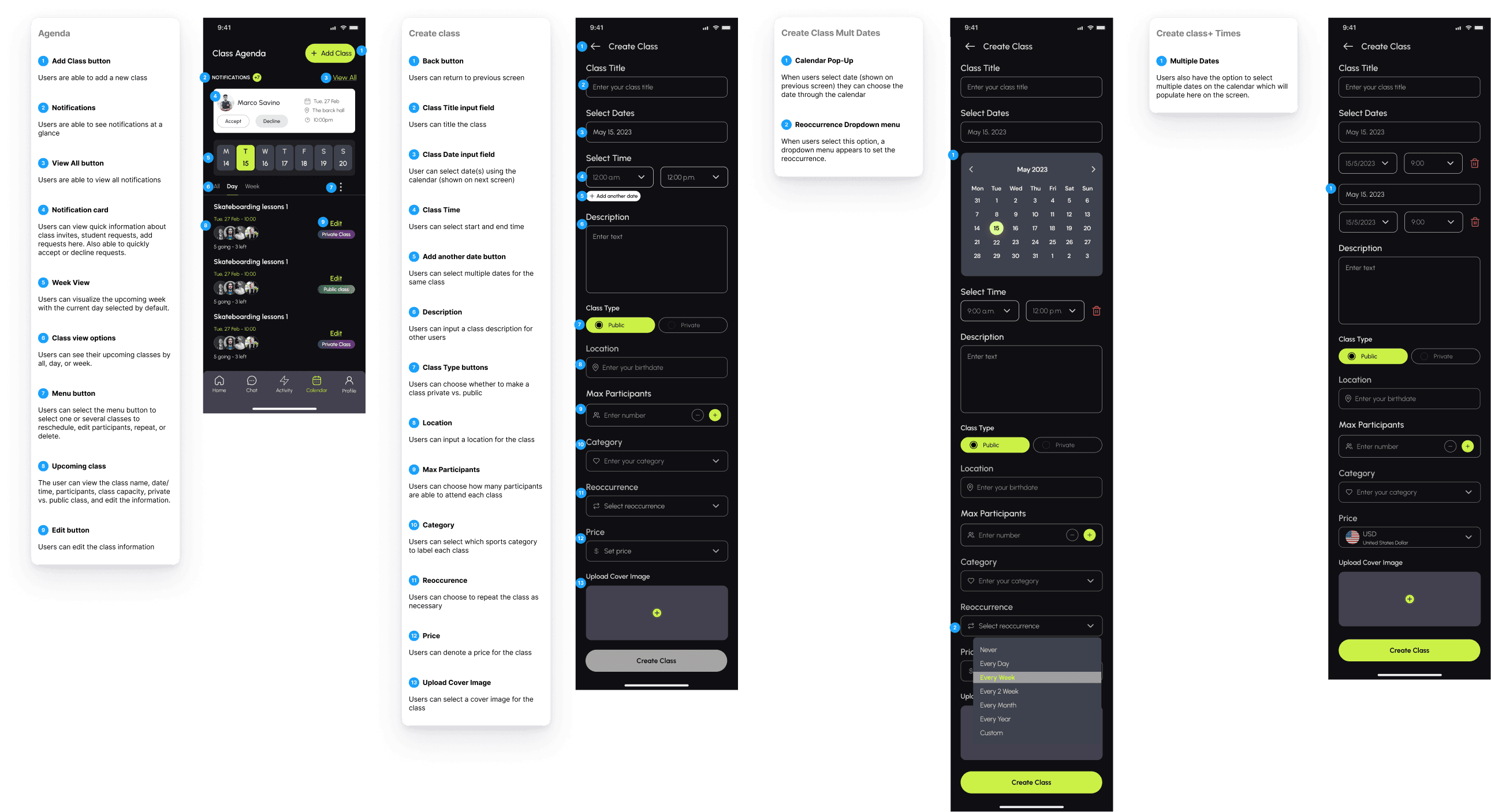
The team and I made all the screens needed for the app, following the style guide to show the client how the final interface will look. This included using the right colors, typography, and content based on feedback from the client's needs after several rounds of iterations. Once all the changes were made, the design was finished and ready to go
DID WE ACHIVE OUR HYPOTHESIS?
*As at the time i was with liveliness